As healthcare practices grow, it’s common to add tools to solve specific operational challenges.
One platform handles appointment reminders. Another manages intake forms. Others support messaging or payments.
At first, it works.
But over time, those tools can create disconnected workflows that staff have to manage manually. Teams end up switching between systems, coordinating tasks across platforms, and filling in the gaps themselves.
That’s where the friction shows up.
The real value of healthcare workflow automation doesn’t come from improving a single task. It comes from how well workflows connect across your practice.
When workflows are aligned from the front desk to the back office, teams spend less time managing systems and more time focusing on patients.
Why Growing Practices Struggle Without Healthcare Workflow Automation
Growth brings more patients, more communication, and more operational demands.
To keep up, many practices add software tools designed to handle specific functions.
But as those tools accumulate, workflows often become harder to manage.
Staff may need to move between systems just to complete routine tasks like confirming appointments or following up with patients. Workarounds become part of the daily routine.
At the same time, front-desk teams are managing higher call volumes and constant interruptions.
The result is familiar. Even with more tools in place, administrative workload continues to grow.
How Solutionreach helps:
Solutionreach connects scheduling, reminders, confirmations, and messaging into one workflow, reducing the need to manage multiple systems.
Explore Patient Engagement Solutions ->
Where Healthcare Workflow Automation Helps the Front Desk Most
The front desk is where workflow friction is easiest to see.
Staff are managing scheduling, answering phones, confirming visits, and communicating with patients. Without automation, many of these tasks rely on repetitive manual effort.
High-impact areas for healthcare workflow automation include:
- Appointment reminders and confirmations
- Self-service rescheduling
- Digital intake forms completed before visits
- Automated patient notifications and updates
These improvements reduce manual work and improve scheduling efficiency.
Missed appointments alone create significant strain. No-show rates can range from 5% to 30% depending on specialty.
When patients can confirm or reschedule on their own, staff no longer have to manage every interaction.
How Solutionreach helps:
Solutionreach enables reminders, confirmations, and two-way messaging within a connected workflow, helping teams reduce manual coordination.
Explore Improving Staff Efficiency ->
How Patient Communication Automation Improves the Patient Experience
Patient expectations around communication have changed.
People expect timely updates and simple digital interactions. In healthcare, they want the same clarity without needing to call the office.
Patient communication automation supports this by:
- Sending reminders that reduce missed appointments
- Enabling two-way messaging for quick questions
- Delivering consistent communication before and after visits
- Keeping patients informed without manual outreach
This is not just about convenience.
When communication is consistent and timely, patients are more likely to follow through on care. A more predictable experience also builds trust over time.
How Solutionreach helps:
Solutionreach supports automated, two-way patient communication so practices can stay consistent without increasing staff workload.
Explore Appointment Reminders -> | Explore Two-Way Texting ->
How Practice Workflow Automation Supports Back-Office Efficiency
While front-desk improvements are more visible, healthcare workflow automation also plays an important role behind the scenes.
Back-office workflows often include:
- Preventive care recall campaigns
- Billing and payment notifications
- Patient follow-up and engagement outreach
- Reporting and operational visibility
These processes are essential, but often manual.
When recall or follow-up depends on spreadsheets or memory, gaps appear. Patients miss preventive care, and communication becomes inconsistent.
Automation helps close those gaps by making outreach more consistent and less dependent on manual effort.
How Solutionreach helps:
Solutionreach supports automated recall and follow-up workflows, helping practices stay consistent without adding administrative burden.
Why Connected Platforms Improve Healthcare Workflow Automation
Point solutions can solve immediate problems.
But over time, they often introduce new complexity:
- Separate systems for messaging, reminders, forms, and engagement
- Multiple logins and disconnected workflows
- Fragmented communication history
- Limited visibility across the patient journey
The issue isn’t that these tools don’t work.
It’s that they don’t always work together.
As practices grow, staff end up bridging those gaps manually. That adds time, increases errors, and makes workflows harder to manage.
Connected platforms take a different approach.
Instead of improving isolated tasks, they bring workflows together. That means fewer systems to manage, more consistent communication, and a simpler path to growth.
How Solutionreach helps:
Solutionreach connects reminders, messaging, recall, and engagement workflows in one place, reducing complexity as practices scale.
Frequently Asked Questions About Healthcare Workflow Automation
What is healthcare workflow automation for medical practices?
Healthcare workflow automation uses technology to streamline scheduling, reminders, intake, and follow-ups so they happen automatically within connected workflows.
Which workflows should practices automate first?
Start with high-impact, repetitive workflows like appointment reminders, confirmations, digital intake forms, and patient communication.
Can healthcare workflow automation reduce front-desk phone calls?
Yes. Automation enables self-service scheduling and messaging, reducing inbound call volume.
How does patient communication automation improve efficiency?
It reduces manual outreach by sending reminders, notifications, and follow-ups automatically based on timing or patient activity.
Why do practices move from point tools to connected platforms?
As practices grow, disconnected tools become harder to manage. Connected workflows reduce manual coordination and improve consistency.
Summary
Disconnected tools often create more workflow complexity as practices grow.
The real value of healthcare workflow automation comes from connected workflows, not isolated tasks.
- Front-desk automation reduces manual work and call volume
- Patient communication automation improves consistency
- Back-office automation supports recall and follow-up
- Connected platforms simplify operations and support growth
When workflows are aligned across the practice, teams spend less time managing systems and more time focusing on patients.
See What Connected Healthcare Workflow Automation Looks Like in Practice
If your team is still switching between systems, following up manually, or tracking tasks across tools, the issue may not be staffing.
It may be how your workflows connect.
Solutionreach helps healthcare practices bring scheduling, reminders, messaging, and follow-up into one connected workflow so teams can reduce manual work and improve efficiency.
👉 Schedule a Demo →
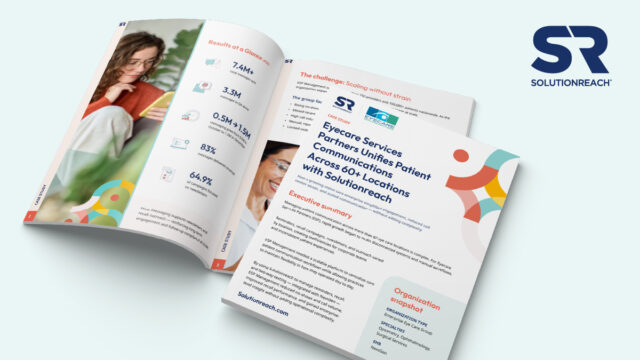
How do 60+ locations standardize patient communication without overwhelming staff?
👉 Download the ESP case study to see how unified workflows reduced no-shows, lowered call volume, and scaled engagement across 200+ providers.