
It’s 9 p.m., and a patient is searching for a healthcare provider on Google. They find your practice, click your listing, and decide they’re ready to book. But instead of a scheduling button, they see “Call to schedule.”
They hesitate. The office is closed. They don’t want to leave a voicemail or wait for a callback tomorrow. So, they back out, find another practice that utilizes patient scheduling software, tap the “Book Online” button, and schedule an appointment in less than two minutes.
That scenario plays out thousands of times every day. And for multi-location groups, the impact compounds fast.
This isn’t a debate about old versus new scheduling methods. Patients have already made their preference clear. The question is whether your workflow has caught up.
Phone-only scheduling is no longer a neutral operational choice. It creates friction exactly when patients are ready to convert. Over time, that friction turns into a conversion tax that quietly reduces growth, strains staff, and pushes patients toward competitors.
The fix isn’t abandoning phones. It’s implementing patient scheduling software that supports the way patients already want to engage, whether they prefer online scheduling healthcare tools or still want to call the office directly.
What Patients Prefer When Booking Healthcare Appointments
Patients increasingly expect healthcare scheduling to work like every other service they use. They research providers on their phones, quickly compare reviews, and expect immediate action when they decide to book.
That expectation doesn’t disappear just because the interaction involves healthcare.
A healthcare survey found that 80% of consumers want self-service online appointment scheduling when available, particularly younger demographics. But the shift isn’t limited to Gen Z or millennials. Older patients increasingly prefer self-service scheduling too, especially for routine visits and after-hours booking.
Practices that rely only on phone calls will struggle to effectively close their scheduling pipeline once the front desk goes home.
And every extra step a patient has to take creates another opportunity for drop-off:
- Finding the number
- Calling the office
- Waiting on hold
- Reaching voicemail
- Waiting for a callback
- Completing the scheduling conversation
At scale, those small moments of friction become measurable revenue loss across multiple locations.
What Phone-Only Scheduling Costs Multi-Location Groups
With no-shows costing independent medical practices annual losses exceeding $150,000, the most obvious cost is missed appointments. But the bigger issue is missed conversion.
Many healthcare groups continue investing heavily in digital marketing while still using workflows built for a phone-first world. The ads generate clicks. The website gets traffic. Patients show intent. Then the scheduling experience breaks down before the appointment ever gets booked.
In other words, the marketing worked. The workflow did not.
Phone-heavy scheduling also creates operational strain inside the practice itself. Front desk teams spend much of the day answering repetitive calls, managing voicemails, and manually coordinating calendars instead of focusing on the patients physically in the office.
For multi-location groups, inconsistency adds another layer of complexity. One location answers quickly. Another struggles with staffing. A third routes calls differently. Over time, patient experience varies by office, even when the brand remains the same.
Phone-only scheduling also limits visibility. Leadership teams can track ad clicks and web traffic, but phone workflows often leave little usable conversion data behind. It becomes difficult to answer simple operational questions:
- Which locations convert best?
- Which providers lose the most after-hours demand?
- How many calls reach voicemail?
- How much revenue disappears before booking?
Without standardized workflows, those answers stay hidden.
Why Flexible Scheduling Workflows Perform Better
The strongest scheduling strategies aren’t online-only. They’re flexible.
Some patients still prefer the phone, especially when booking complex visits, asking insurance questions, or scheduling for family members. That won’t change anytime soon.
The goal isn’t to eliminate phone scheduling but to eliminate phone-only dependency.
The highest-performing practices allow patients to self-select the channels they prefer. Patients who want speed and convenience can book online instantly. Patients who want to call can still reach the practice, even after hours or during busy periods.
That approach requires patient scheduling software that supports both channels within a single workflow.
Instead of separate systems competing with each other, the schedule stays unified:
- Same calendar
- Same provider rules
- Same appointment types
- Same downstream automation
That is where online scheduling healthcare tools and automated appointment scheduling become operational advantages rather than disconnected features.
How Solutionreach Helps
Online scheduling works alongside an AI scheduling assistant that handles inbound calls when staff can’t. Patients choose the channel that works best for them, while schedules stay accurate across every location.
👉 Explore Both Channels in One Workflow →
What Modern Patient Scheduling Software Should Do
Many practices still confuse online scheduling with a simple appointment request form. Patients submit information, then wait for staff to call them back later.
That isn’t true online scheduling.
Modern patient scheduling software should allow patients to complete the booking process in real time. That means patients can:
- Book from the website, Google listing, email, text, or social profile
- Schedule 24/7, including after-hours
- View accurate provider availability
- Select the correct appointment type automatically
- Receive immediate confirmation
- Trigger reminders, intake forms, and follow-up workflows automatically
Most importantly, the schedule patients see must match the actual schedule inside the practice management system.
If staff still need to manually re-enter appointments, the workflow creates new operational risk instead of reducing it.
This is where automated appointment scheduling matters. The goal isn’t simply digital access. The goal is operational consistency.
How Solutionreach Helps
Solutionreach delivers online scheduling that books directly into the practice management system, along with Virtual Scheduling Assistant to capture the phone calls that still come in.
👉 Explore Virtual Scheduling Assistant →
How Online Booking Changes Practice Performance
The first change most organizations notice is improved conversion.
The same marketing spend starts producing more booked appointments because patients can act immediately instead of waiting for office hours.
After-hours traffic becomes productive instead of wasted. Weekends become scheduling windows instead of dead time.
Operationally, front desk teams can reclaim hours every week. Fewer repetitive scheduling calls mean more attention is focused on in-office patient interactions and higher-value tasks.
Leadership teams also gain visibility that they never had before. With connected patient scheduling software, organizations can measure:
- Online bookings
- Phone bookings
- Missed opportunities
- After-hours demand
- Location-level conversion trends
Instead of guessing where scheduling friction exists, leaders can identify it directly and standardize improvements across locations.
How to Evaluate Scheduling Tools for Multi-Location Practices
Not all scheduling platforms solve the same problem.
When evaluating patient scheduling software, multi-location groups should ask practical operational questions first.
Does it offer real online scheduling?
Some tools still rely on appointment request forms that require manual callbacks. Real online scheduling healthcare systems allow patients to book instantly.
Does it support inbound calls when staff can’t answer?
If unanswered calls go to voicemail, the workflow problem remains.
Does it write directly into the PMS?
Manual re-entry increases staff workload and scheduling errors.
Does it support consistent workflows across locations?
Regional leaders need standardized metrics and patient experiences across every office.
Does the vendor measure outcomes?
Feature lists matter less than operational impact. Practices should expect visibility into booked appointments, recovered demand, and scheduling performance.
How Solutionreach Helps
Multi-location healthcare groups can connect online and phone scheduling in one workflow, with an AI scheduling assistant covering after-hours and overflow calls in real time.
👉 Explore Virtual Scheduling Assistant → Explore Multi-Location Management →
Frequently Asked Questions About Patient Scheduling Solutions
Do patients prefer online or phone scheduling?
Many patients now prefer online scheduling because it allows them to book anytime without waiting on hold or calling during office hours. However, some patients still prefer phone conversations for more complex scheduling needs.
What is patient scheduling software?
Patient scheduling software helps healthcare organizations manage appointment booking across online and phone channels while connecting scheduling workflows to reminders, confirmations, intake forms, and reporting.
Should a healthcare practice replace phone scheduling with online scheduling?
No. The strongest approach supports both. Patients should have the option to self-schedule online or speak with someone by phone, depending on their preferences and needs.
What is automated appointment scheduling, and how does it support online booking?
Automated appointment scheduling allows patients to book, confirm, and manage appointments in real time while triggering reminders, confirmations, and workflow automation automatically.
Patients Have Already Chosen Flexible Scheduling
If your practice is still phone-first, patients are quietly choosing competitors who let them tap a button. See how Solutionreach combines online scheduling and Virtual Scheduling Assistant across every location.
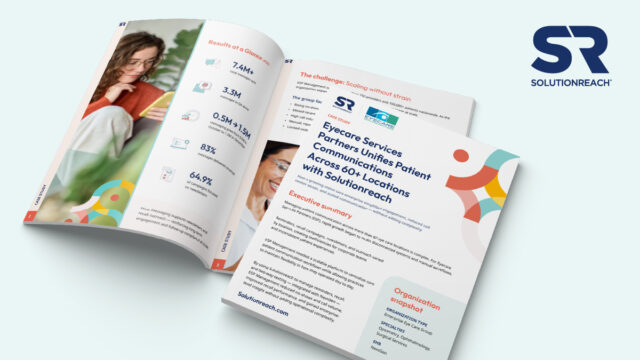
How do 60+ locations standardize patient communication without overwhelming staff?
👉 Download the ESP case study to see how unified workflows reduced no-shows, lowered call volume, and scaled engagement across 200+ providers.