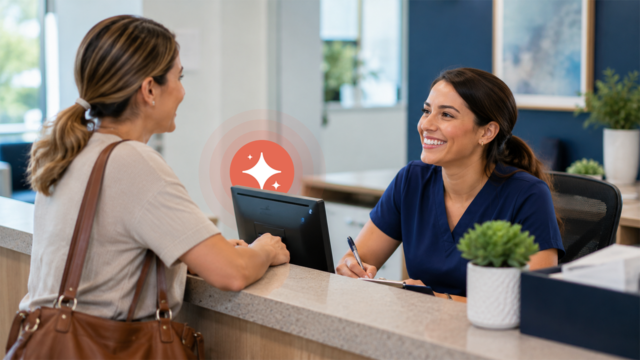
The front desk helps a patient check in, and then the phone rings.
Someone picks up, but another call comes through. Then another. One patient waits. Another hangs up. By lunch, your team has callbacks piling up. After hours, every call goes straight to voicemail.
Your team may be doing everything right. The problem is coverage: more patients are trying to reach you than your front desk can answer in the moment.
That’s when practices start looking beyond another hire. A virtual receptionist can add remote human coverage. An AI receptionist can answer routine calls and complete defined scheduling tasks when your team can’t. Both can help close the gap, but they solve it differently.
Here, “virtual receptionist” means a remote human receptionist or answering service. An AI receptionist is software. Knowing which kind of coverage you actually need is the best place to start.
A Virtual Receptionist Uses Remote Human Coverage
A virtual receptionist is a remote human receptionist or answering-service team that handles calls for your practice.
The receptionist may not sit in your office, but a real person answers the call. Depending on the service, they may follow your scripts, take messages, transfer calls, schedule appointments, or handle requests that don’t fit the usual pattern.
What you get depends on the service.
Coverage hours, call queues, training, system access, handoffs, and scheduling capabilities can vary quite a bit. Some services mainly take messages. Others offer broader answering or scheduling support. Some can work directly in your systems, while others leave the next step with your staff.
Before you choose one, find out what happens after the call is answered. Can the service finish the task, or does it leave your front desk with another handoff?
An AI Receptionist Automates Defined Calls and Scheduling
An AI receptionist is software that answers patient calls conversationally and handles defined tasks using your practice’s rules and connected workflows.
For dental, eye care, and medical practices, those tasks can include routine scheduling, rescheduling, cancellations, appointment details, office hours, address information, and other common questions.
Unlike a remote human receptionist, an AI receptionist is built to handle specific, repeatable interactions without pulling a staff member into every routine call.
A patient might call at 6:30 p.m. to schedule a routine exam. Your office is closed, but they’re ready to book. When the workflow and integration support it, an AI receptionist can answer, find the right appointment type, check available times, and complete the booking while your team is off the clock.
There are still plenty of calls your team should handle. Clinical questions, sensitive situations, complex requests, or anything outside the configured workflow need an appropriate human handoff.
That kind of oversight matters in healthcare. In June 2026, the American Medical Association adopted policy stating that AI should support, not replace, physician judgment and should remain under appropriate human oversight.
AI Receptionist vs. Virtual Receptionist: The Quick Difference
Both can give your front desk more coverage. The difference is who answers and what happens next.
| Consideration | Virtual receptionist (remote human) | AI receptionist (software) |
| Who answers? | Typically a remote human receptionist or answering team | AI-powered software |
| Availability | Depends on staffing and service hours | Can provide coverage whenever configured to be active |
| Speed to answer | Depends on call volume and queue | Typically immediate when active |
| Types of calls handled |
Can typically handle a broad range of conversations, depending on training, scripts, and service scope
|
Best suited for routine, predictable calls such as scheduling, rescheduling, cancellations, and practice-information requests |
| Routine scheduling | Depends on provider and system access | Can automate scheduling when integrated with the practice system |
| Complex requests | A human can assess and determine next steps | Should follow configured escalation rules |
| Consistency | Depends on staff training and service processes | Follows configured rules consistently |
| Staff visibility | Depends on provider reporting and documentation | Can provide interaction records and outcomes when supported |
| Setup | Requires training, scripts, workflows, and service configuration | Requires configuration, integrations, scheduling rules, and testing |
| Ongoing management | Often involves managing service expectations and training | Involves reviewing workflows, rules, coverage, and interactions
|
Capabilities vary by provider, so use this comparison as a starting point rather than assuming every service works the same way.
Where a Human Virtual Receptionist Fits Best
A human virtual receptionist can be a strong fit when you need broad conversational coverage and your calls don’t follow predictable patterns.
For example, patients regularly call you with unusual administrative requests. Maybe they need help navigating several steps, coordinating with another office, or explaining a situation that doesn’t fit neatly into your scheduling rules.
For those calls, having a person listen, ask follow-up questions, and use judgment can be the better fit.
A frustrated patient is another example. They may need someone to listen, understand what happened, and decide what should happen next. That’s very different from a routine request to move an appointment from Tuesday to Thursday.
Clinical triage is another clear boundary. Routine scheduling support should never be confused with clinical decision-making. If someone describes symptoms or asks whether they need care, follow your established clinical protocols and route the call to qualified staff.
Where an AI Receptionist Fits Best
An AI receptionist can be a good fit when your biggest coverage problem is a steady stream of predictable calls arriving when your team is busy or unavailable.
One scheduling call may only take a few minutes. Stack enough of them together, and your front desk can lose a good chunk of the day to the phone.
In a March 2026 poll, MGMA found scheduling was one of the most time-intensive phone tasks for medical practice staff, selected by 31% of practice leaders.
That makes routine scheduling one of the clearest places to look for extra coverage.
It can be especially useful for:
- After-hours calls. Patients can handle routine scheduling without waiting for the office to reopen.
- Peak-time overflow. When your front desk team is helping patients in the office, routine calls still have somewhere to go.
- Lunch coverage. Your team can step away without sending every incoming call to voicemail.
- Scheduling changes. Routine rescheduling and cancellations can be handled without adding another callback to the list.
For a single-location practice, after-hours coverage can be an easy place to start. For a multi-location group, you might start where voicemail and callback volume are highest. Either way, you’re solving a defined coverage gap before expanding.
How Solutionreach helps
Solutionreach’s AI Receptionist, Stella, catches scheduling calls your team can’t take, helping patients book, reschedule, or cancel without waiting for a callback.
👉 Explore Solutionreach AI Receptionist
Before You Choose, Look at the Calls You’re Actually Missing
Start with your actual call patterns, not the technology.
Ask:
- What calls are we missing? New appointments, rescheduling, cancellations, information requests, or something else?
- When are we missing them? During check-in, lunch, peak hours, evenings, weekends, or all of the above?
- Which requests are repetitive? These are often the strongest candidates for automation.
- Can the solution schedule directly into our system? If not, how much follow-up will staff have to do?
- How are complex calls handled? Understand exactly where and how the interaction moves back to your team.
- Can we review what happened? Look for call records, transcripts, outcomes, or other useful visibility.
- Can we start with after-hours coverage? A smaller initial scope can make it easier to evaluate the workflow before expanding.
- What security and privacy protections are in place? Ask about HIPAA, data handling, access controls, business associate arrangements where applicable, and the vendor’s security practices.
Keep privacy and security in the evaluation from the start. HHS describes risk analysis as foundational to HIPAA Security Rule compliance, so look at how any service handles ePHI, access, data, and vendor safeguards in your own environment.
Measure Whether the Coverage Gap Is Actually Closing
Once you add coverage, track what changes.
In addition to calculating missed-call ROI, other useful measures to track include:
- Missed calls
- Calls answered
- Appointment requests captured
- Appointments booked
- After-hours bookings
- Voicemail and callback volume
- Staff time spent on routine calls
- Patient feedback
If you can, capture a baseline first. You’ll have a much clearer view of whether missed calls, callbacks, bookings, or staff phone time actually changed.
A real practice can show what the model looks like in action, although your results will depend on your own call volume, scheduling demand, and appointment value.
Fadel Eye Professionals, a five-location eye care group, reported that Solutionreach’s AI Receptionist, Stella, answered 1,300 calls and booked 71 appointments in 42 days. The group reported $53,250 in added production and a 17x return on investment. Results vary.
How Solutionreach helps
See how Fadel Eye Professionals turned missed-call coverage into 71 booked appointments in 42 days across five locations. Results vary.
👉 Read the AI Receptionist customer story
Frequently Asked Questions About AI Receptionists
What’s the difference between an AI receptionist and a virtual receptionist?
A virtual receptionist uses remote human staff to answer calls. An AI receptionist uses software to handle defined conversations and tasks according to your configured rules.
Can an AI receptionist schedule appointments?
Yes, depending on the platform and its integrations. An AI receptionist can schedule, reschedule, and cancel appointments when those functions are supported and connected to the practice’s scheduling system.
Does an AI receptionist replace front-desk staff?
No. The strongest use case is routine coverage when your team is busy or unavailable, giving your front desk more time for patients in the office and requests that need a person.
Can a practice use both a virtual receptionist and an AI receptionist?
Yes. Some practices may use different coverage models for different calls or times of day. Clear responsibilities and handoffs help keep the experience simple for patients.
What happens when a patient needs a real person?
Your practice should define what happens next. Requests outside the AI receptionist’s configured capabilities should follow a clear handoff or escalation path to the right staff member.
Choose the Coverage Model That Fits Your Front Desk
Start with the gap you’re trying to close.
If your practice needs flexible human judgment across a wide range of conversations, a virtual receptionist may make sense. If the biggest problem is repetitive scheduling calls arriving when your team is busy or unavailable, an AI receptionist may provide a more automated way to extend coverage.
You also don’t have to change everything at once.
For a single-location practice or a growing multi-location group, a practical starting point is narrow: cover calls that are easy to define and hardest for your team to answer consistently, such as after-hours scheduling or peak-time overflow.
Solutionreach’s AI Receptionist, Stella, can serve as that front-desk safety net for routine scheduling calls when your team can’t answer.
When a patient is ready to book, the call shouldn’t have to end in voicemail just because your front desk is already helping someone else.
👉 See how Solutionreach’s AI Receptionist supports your front desk. →

Your missed-call problem may be bigger than you think.
Use the guide to put a number on it.