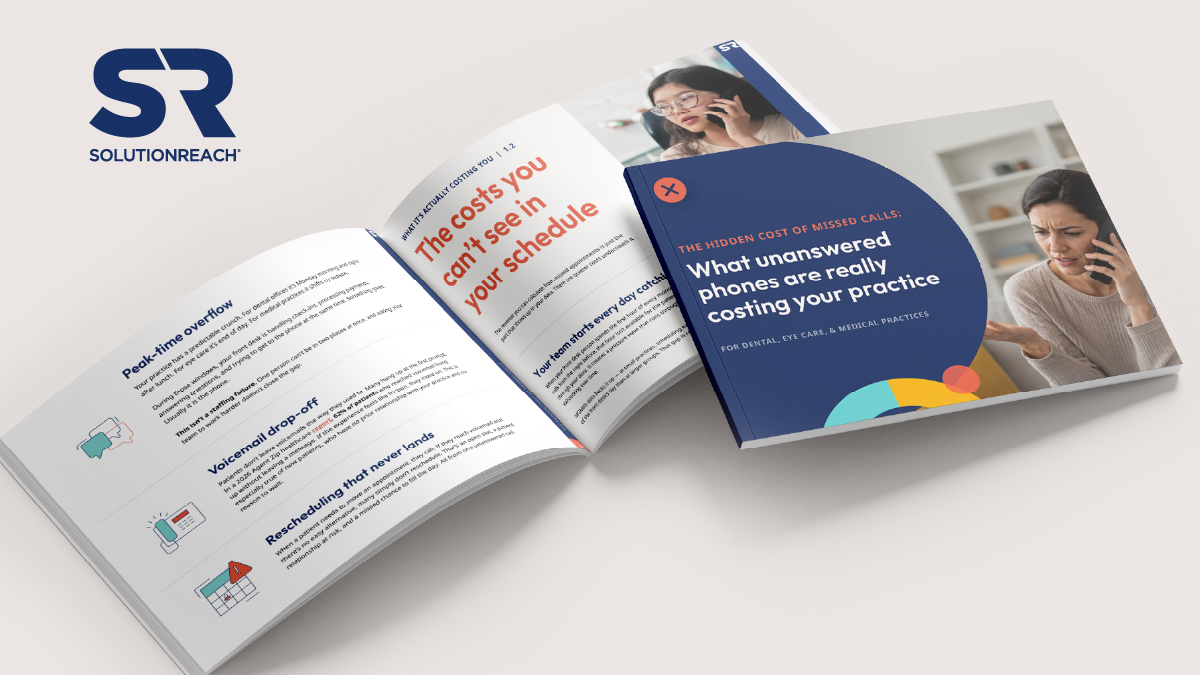
Small healthcare practices miss an estimated 1 in 4 calls — and most of those patients don’t call back
A practical guide for dental, eye care, and medical practices with 1–5 locations
It’s 8:04 a.m. on a Monday. Your front desk person walks in to find six voicemails from last night. Two of those patients also called on Friday during lunch. One of them has already found somewhere else.
That’s not a bad morning. It’s a regular one for most small practices.
For most practices with one to five locations, the answer is roughly 1 in 4 calls missed during peak and after-hours windows — and thousands of dollars in potential revenue leaving through the phone line each week. This guide helps practice owners and office managers put a specific number on that gap and evaluate options for closing it.
Download Guide: Hidden Cost of Missed Calls
How many calls is your practice actually missing?
Most small healthcare practices miss roughly 1 in 4 incoming calls during peak windows and after hours. The calls that go unanswered don’t disappear — they leave through the phone line as lost patients and unfilled slots, often without any record that they happened.
Think about the last time your practice had a truly clean Monday morning. No voicemails stacked up from the weekend. No callbacks to get through before the first patient arrived. Just a full schedule and a ready team.
For most small practices, that morning is hard to remember.
Calls slip through after hours, over lunch, and any time a rush hits the front desk at once. Most practice owners already feel this. What they haven’t done is connect those moments to a number.
Illustrative estimate — dental practice
A two-provider dental practice taking 40 calls per day misses an estimated 10 to 14 of them during peak and after-hours periods. At an average new patient value of $850, that’s roughly $3,000 in potential revenue leaving through the phone line every single week. Source: Solutionreach illustrative model based on industry call volume benchmarks.
If you run an eye care practice, the gap shows up when your optician is fitting frames and no one’s free to answer the phone. If you run a medical practice, it’s the calls that come in after 5 p.m. when the office has closed but patients still need to reach someone.
Smaller practices are especially exposed because they don’t have a dedicated scheduling team. MGMA’s March 2026 Stat poll found that practice leaders rank scheduling as their most time-consuming category of phone work — too many calls, too many rules, too much phone tag.
It’s not just whether the call gets answered. It’s whether the patient comes back to it.
Pew Research Center, 2020
80% of Americans don’t answer cellphone calls from unknown numbers. 14% won’t check the voicemail either. When your office calls back the next morning, your number is the unknown one. For a new patient, that’s usually where the conversation ends.
What is the true cost of missed calls for a small practice?
For a practice taking 50 calls per day, missing 1 in 4 during peak and after-hours windows means losing roughly 12 calls. A meaningful share of those patients won’t try again — particularly new patients who have no existing relationship with the practice. That translates to several patients walking away each day, not because of care quality, but because of access.
Here’s a framework for estimating the gap in your own practice. Ranges are calibrated for practices with one to five locations.
| What to measure | Typical range for 1–5 location practices |
| Incoming calls per day | 30 to 60 |
| Estimated missed call rate (peak + after hours) | Roughly 1 in 4 during peak windows |
| What to measure | Typical range for 1-5 location practices |
| Average new patient value: dental | $700–$1,200 |
| Average new patient value: eye care | $300–$600 |
| Average new patient value: medical | $200–$450 |
| Staff time per manually handled call | 3–5 minutes |
Calculate your practice’s missed-call estimate
Where does missed-call revenue actually go?
Missed-call revenue doesn’t disappear in one obvious place. It leaks through four gaps, and each one quietly makes the others worse.
After hours.
When a patient calls after the office closes and reaches voicemail, most hang up. Deloitte’s 2024 health care consumer survey found that 1 in 4 patients say they’d switch doctors over a lack of convenient digital care options. When 9-to-5 is the only access window, many patients will go somewhere it isn’t.
Deloitte, 2024 Health Care Consumer Survey
1 in 4 patients say they’d switch providers over the lack of convenient digital care options — including after-hours scheduling access.
Peak-time overflow.
Every practice has predictable crunch windows — Monday morning and after lunch for dental; end of day for eye care; seasonally shifting for medical. During those windows, the front desk is handling check-ins, payments, questions, and calls simultaneously. Something gives. Usually it’s the phone. This isn’t a staffing failure — it’s a structural one.
Voicemail drop-off.
Industry data consistently shows that the majority of patients who reach voicemail hang up without leaving a message — particularly new patients who have no prior relationship with the practice and no reason to wait. If the experience feels like friction, they move on.
Rescheduling that never lands.
When a patient needs to move an appointment and can’t reach anyone easily, many simply don’t reschedule. That’s an open slot, a patient relationship at risk, and a missed chance to fill the day — all from one unanswered call.
What are the hidden costs of missed calls beyond lost appointments?
Beyond the revenue that shows up in missed appointments, three quieter costs compound the problem over time.
Your team starts every day catching up.
When your front desk person spends the first hour returning calls from the night before, that hour isn’t available for patients walking through the door. MGMA data shows scheduling consumes a significantly larger share of the front desk’s day at small practices than at larger groups. The pressure wave runs through the whole day.
Harvard Business Review
Acquiring a new customer costs 5 to 25 times more than retaining an existing one. When scheduling access is the friction point, missed calls aren’t just a new patient acquisition problem — they’re a retention problem.
Patients leave without saying anything.
The patients who leave because they couldn’t reach you don’t typically send a message or request their records. They just stop coming back. There’s no warning because there wasn’t a conversation.
Frustrated patients leave reviews.
Some of the patients who can’t get through do say something — just not to you. A Software Advice survey found that 71% of patients use online reviews when choosing a provider. A pattern of access complaints in reviews shapes how your practice looks to people who’ve never met you.
How have patient expectations around scheduling access changed?
American Hospital Association, 2024 70% of consumers who switched healthcare providers cited access as a deciding factor in choosing their new one — not clinical quality, not cost. Just the ability to get an appointment when they needed it.
Regional DSOs and national vision chains already offer round-the-clock booking by phone and online. Patients who can’t reach an independent practice after hours increasingly go where they can get an appointment — not because the care is better, but because the access is easier.
For dental and eye care practices, the competitive pressure is direct. They’re not losing patients on clinical quality. They’re losing on access.
You don’t need to match their marketing budget. But you can match their availability.
McKinsey, 2023 Consumer Health Insights Survey
When patients can’t schedule easily with their chosen provider, many go elsewhere: another practice, urgent care, or no care at all. For medical practices, this shows up as lost visits, lost follow-ups, and eroded continuity.
What should you look for when evaluating a missed calls and after-hours AI receptionist solution?
The five criteria below are what separate an AI receptionist or AI scheduling tool that lightens the load from one that creates new work. Differences between products aren’t always obvious in a demo — they show up after go-live.
1. PMS integration.
A scheduling tool that doesn’t write directly to your practice management system creates double entry, errors, and staff cleanup work. Ask: Does it connect directly? Does it write appointments in real time, or does staff have to confirm first? Red flag: requires manual import, or calls integration “coming soon.”
2. Real-time availability.
If the AI receptionist tool isn’t checking live availability when a patient calls, it may confirm appointments that don’t exist — creating double bookings before a patient has even walked in. Ask: Does it pull live availability at the time of the call? Red flag: uses a synced copy of the schedule rather than live data.
3. Escalation logic.
Not every call fits a standard booking. A tool that tries to handle everything on its own will either fail patients or create problems your team has to fix. Ask: What types of calls does it escalate? Can you configure the rules yourself? Red flag: vague about escalation, or escalation ends the call rather than routing it.
4. Conversation logging.
If your team can’t see what the AI receptionist said and did, they have no way to audit it, catch errors, or follow up on complex requests. Ask: Is every conversation logged and searchable? Can staff review transcripts? Red flag: logs are summary-only, or staff must request records.
5. Setup time and ongoing control.
An AI scheduler that takes weeks to configure or requires IT involvement creates adoption risk. Ask: How long does implementation take? Can your team make changes without vendor support? Red flag: multi-week onboarding, or configuration is handled entirely on the vendor side.
The criteria above represent the gap between a scheduling tool that lightens the load for your team and one that creates new work. Ask for specifics. If a vendor is vague on any of these, that’s worth noting.
Download the full guide and scorecard — A PDF your team can reference, share, or bring into vendor conversations.
How does an AI receptionist for healthcare practices actually work?
An AI receptionist or AI scheduling tool answers patient calls when the practice team is unavailable, asks a few simple questions, checks live availability in real time, and books the appointment directly into the practice management system — without staff involvement. The team receives a notification and a full conversation log. No double entry. No morning voicemail stack.
Solutionreach’s AI Receptionist, Stella, is built specifically for this gap. When a patient calls and your team is unavailable, the call gets answered, the appointment gets booked, and the slot fills. Your team finds out in the morning.
No additional staff. No workflow overhaul. No asking your team to do more than they’re already doing.
An eye care group in Texas booked 18 appointments and added $13,500 in production within their first 16 days — and their front desk team didn’t know Stella was live until the schedule started filling overnight.
| Before | After |
| Patient calls at 6:30 p.m. | Patient calls at 6:30 p.m. |
| Reaches voicemail | Call answered immediately |
| Patient hangs up | Patient books in real time |
| Slot stays open | Confirmation sent automatically |
| Staff spends first hour on callbacks | Staff arrives to a schedule already updated |
| Before | After |
| Front desk interrupted mid check-in | Front desk stays focused on in-office patients |
| Rescheduling requests go unanswered | Rescheduling handled without staff involvement |
For a practice with one or two people at the front desk, taking routine scheduling calls off their plate doesn’t just save time. It removes the constant interruptions that make an already full job feel impossible.
This isn’t about replacing your front desk. It’s about giving them back the hours spent on tasks that don’t require a human, so they can focus on the ones that do.
What does setup look like for an AI receptionist?
Setup is designed for small practices without IT staff. Our AI Receptionist connects to the practice’s existing phone system and practice management software, is configured around the practice’s own scheduling logic, and is typically live within 24 to 48 hours. No IT team required.
Web team: confirm setup timeline with product/implementation before publishing.
Week 1.
A short walkthrough with your team covers what the AI receptionist tool handles and what it escalates. Most practices are live within 24 to 48 hours depending on phone carrier.
Weeks 2–4.
After-hours bookings start appearing in the morning schedule. Missed call rates change week over week. Most practices notice the difference within the first few days — the overnight appointments are there before the day starts.
Day 30.
Three things worth measuring: How many calls were captured that would have previously gone to voicemail? How many appointments booked outside of office hours? How much time did the team get back from callbacks and routine scheduling calls?
Frequently asked questions
How many calls does a small healthcare practice miss per day?
Most small practices with 1–5 locations miss roughly 1 in 4 incoming calls during peak windows and after hours. For a practice taking 40–50 calls per day, that’s 10 to 14 missed calls — calls that often represent new patients or rescheduling requests that never complete.
What do patients do when they reach voicemail at a medical or dental practice?
Most don’t leave a message. Industry data consistently shows the majority of patients who reach voicemail hang up without leaving one — particularly new patients with no existing relationship. Pew Research found that 80% of Americans don’t answer calls from unknown numbers, which means callback attempts often fail too, especially for new patients.
How much revenue does a dental practice lose from missed calls?
At an average new patient value of $850, a two-provider dental practice missing 10–14 calls per day loses an estimated $3,000 per week in potential revenue. This is an illustrative estimate based on typical call volume and new patient values — the Missed Calls Calculator lets you run the math for your own practice.
What is an AI receptionist for healthcare practices?
An AI receptionist or AI scheduler is an AI-powered tool that answers patient calls when the practice team is unavailable, books appointments directly into the practice management system in real time, and logs every conversation for staff review. It handles routine scheduling without requiring staff involvement — after hours, during lunch, and during peak overflow windows.
What’s the difference between an AI receptionist and an answering service?
An answering service takes a message and routes it to staff for follow-up — creating callbacks and double entry. An AI receptionist integrates directly with the practice’s scheduling system, books the appointment in real time during the call, and delivers a completed booking and conversation log to the team. No callbacks. No manual entry.
How long does it take to set up an AI receptionist?
Most practices are live within 24 to 48 hours, depending on their phone carrier and practice management system. No IT team is required. The practice configures its own scheduling logic — which appointment types, providers, and time slots are available — and can adjust those settings at any time.
Does an AI receptionist replace the front desk?
No. An AI receptionist tool handles routine scheduling tasks that don’t require human judgment — answering calls after hours, booking standard appointments, processing rescheduling requests. The front desk handles everything else: patient check-in, nuanced requests, clinical questions, and anything requiring real human engagement.
Will patients know they’re talking to an AI?
Practices can configure how the assistant identifies itself. Many practices use a name (the default in Solutionreach’s AI Receptionist is Stella, though practices can rename it anything). Transparency is a practice-level decision.
What happens if a patient calls with a question the AI receptionist can’t handle?
The AI receptionist escalates calls it can’t route according to rules the practice configures. Escalation can route to voicemail, a specific staff line, or an on-call number — whatever the practice defines. The receptionist only handles what the practice has said it can handle.
Which practice management systems does the AI Receptionist integrate with?
Solutionreach’s AI Receptionist, Stella, connects to many widely used practice management systems. Search the full list on our integrations page.
Next steps
How much revenue is leaving through your phone line each week? The Missed Calls Calculator gives you a real estimate for your practice in about two minutes.
Get your practice’s missed-call estimate
Prefer to explore on your own first? Visit our AI Receptionist feature page to see how it works, which practice management systems it integrates with, and what other practices are experiencing.
You shouldn’t lose revenue because someone couldn’t answer the phone. We can help with that.
Want a copy to share?
Download the full guide as a PDF — easy to pass along to your practice owner, doctor, or anyone else evaluating your scheduling setup.
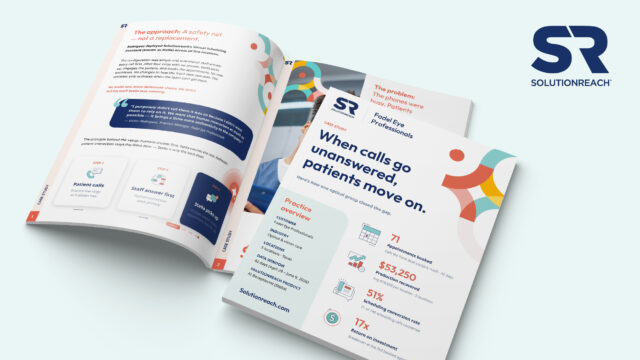
When patients can’t get through, they move on
See how Fadel Eye Professionals uncovered missed calls across five locations and turned them into new appointments with an AI receptionist.