
Pull up the overdue list in Eaglesoft and it’s all right there. Who’s due, who cancelled in March and never rebooked, which chairs are sitting open next Tuesday. Across six or 10 locations, that kind of visibility used to be a luxury. Now it’s just Tuesday.
Here’s the catch. Knowing a patient is overdue and actually getting them back in the chair are two different jobs, and Eaglesoft was built for the first one. The second job, the outreach, usually lands on whoever has a free minute at the front desk. Some weeks it happens. Some weeks it doesn’t.
That’s the gap Solutionreach fills. It connects to Eaglesoft, reads the scheduling and recall data you already have, runs the outreach on its own, and writes confirmations and reschedules back into Eaglesoft as patients reply. No one has to remember to start it. You keep the system your team knows inside and out, and the data finally does something with itself.
How the Solutionreach-Eaglesoft Integration Works
The connection runs on Solutionreach’s own integration engine. Eaglesoft is one of more than 400 practice management and EHR systems it plugs into natively, and the sync is HIPAA-compliant, so patient data stays accurate and secure moving between the two systems.
It reads your Eaglesoft data continuously: recall intervals, last-visit dates, upcoming appointments, cancellations, open chair time. Nothing gets exported to a spreadsheet or re-keyed by hand. When something changes in Eaglesoft, Solutionreach already knows.
From there it acts. A patient hits their recall window and gets a message. A patient cancels and the open slot triggers waitlist outreach. A patient confirms or reschedules and that reply lands back in Eaglesoft in real time, so your schedule stays right without anyone retyping a thing. The connection reads and writes both ways, which is why the two systems stay in sync on their own.
What Patient Data Solutionreach Reads From Eaglesoft
The connection pulls live data across the categories your front desk relies on every day. On the scheduling side, it reads appointment records, appointment status, and cancellations. For recall, it reads recall intervals, last-visit dates, and overdue recall flags directly from Eaglesoft, so outreach goes out the moment a patient hits their window without anyone having to spot it first.
It also reads the patient details that make outreach smarter. The criteria Solutionreach can segment and filter on from your Eaglesoft data include gender, procedures, appointment type, appointment status, recall overdue status, birthday, patient provider, email domain, and age. Those fields let Solutionreach sequence messages the way a sharp coordinator would, just without the manual work.
For multi-location groups, it also reads provider-level data across locations, including patient provider assignments and appointment provider, so workflows stay accurate as patients move between sites or providers.
What Gets Written Back into Eaglesoft Automatically
Reading patient data is only half of it. When a patient confirms, reschedules, or responds, Solutionreach writes that outcome directly back into Eaglesoft in real time. Your team doesn’t re-key anything, and the schedule stays accurate without anyone chasing it.
- Appointment confirmations land in the schedule automatically as patients reply
- New patient records created through Solutionreach sync back into Eaglesoft as full patient entries
- Appointments booked through Solutionreach write back as new appointment records
- Patient record updates made through Solutionreach sync back to keep Eaglesoft current
- Insurance verification PDFs and patient intake documents write back and attach to the patient record
Same-Day Cancellations and Waitlist Outreach
Same-day cancellations get their own workflow. When a slot opens, Solutionreach reads your waitlist from Eaglesoft and starts working it on its own. The goal is a filled chair, not a task on someone’s list.
Beyond recall and scheduling, the connection also supports post-appointment surveys, birthday messages, and newsletter outreach, all drawing from the same Eaglesoft data. Every touchpoint runs off the same source of truth, so nothing relies on a separate list someone has to maintain.
Automated Recall and Scheduling: What It Looks Like Day to Day
Once that loop is running, recall stops depending on anyone’s memory. Eaglesoft stays the source of truth. Solutionreach reads it, reaches each patient on the channel they actually answer, and writes the outcome back. Here’s what that looks like in practice on top of Eaglesoft:
- Reads recall intervals and last-visit dates, then sends recall outreach automatically the moment a patient is due, with no staff trigger required
- Reaches each patient by text, email, or voice based on how they have responded before, instead of one channel for everyone
- Accepts the patient’s reply through two-way messaging and writes the confirmation or reschedule back into Eaglesoft, so the front desk is not fielding the call
- Watches for cancellations and fills the open slot from your waitlist automatically, before the chair sits empty
- Rolls every location’s activity into group-level reporting so leadership can see recall performance and no-show trends across the whole network
Ask enterprise dental groups what they get out of Solutionreach and recall is usually the first thing they name. It’s where the return shows up fastest, and it shows up because the data was already sitting in Eaglesoft. Solutionreach just works it the same way every week, at every location.
The Revenue Impact of Dental No-Shows and Lapsed Recall
The no-show numbers below aren’t a knock on Eaglesoft. They’re money that’s recoverable once outreach runs without anyone having to kick it off. The patients are already in your system. What’s been missing is the follow-through.
U.S. dental practices average a 15-20% no-show rate, according to peer-reviewed research published through the NIH. A good share of those are patients who simply forgot, which is the easy kind to win back. A well-timed reminder on the channel they actually check handles most of it, and the data to send it is already in Eaglesoft.
Dental Economics reports that a single no-show a day, sustained over a year, runs a practice between $20,000 and $70,000 in lost production. Multiply that across a group and even a small dent in your no-show rate at each site adds up fast. One five-year study of more than 1.6 million appointments, reported by Dental Tribune, found automated reminders cut no-shows by nearly 23%
Then there’s the quieter problem: lapsed recall. These are patients months overdue with nothing on the books, and most of them won’t book on their own. They’re not angry. They just forgot, and no one reminded them. When Solutionreach reads those recall intervals and reaches out automatically, that dormant list turns back into booked visits instead of patients quietly drifting to the practice closer to home. As more dental care consolidates into groups and DSOs, the ones scaling well are the ones that took recall off the front desk’s plate and handed it to a system.
Consistent Dental Recall Workflows Across Every Location
At a single location, a sharp front desk can mostly carry recall by hand. They know who tends to no-show, who needs a nudge, who only answers texts. The trouble is that knowledge doesn’t travel. Across 10 or 15 sites with different staff and different turnover, it lives in a few people’s heads, and when one of them leaves, recall walks out the door with them.
Solutionreach sets workflows centrally, so every location runs the same recall process off the same Eaglesoft connection, with room to adjust where a site actually needs it. New hires don’t start from zero. Leadership doesn’t wait on each office to report up. And it’s not a painful rollout to get there: in a UserEvidence survey, 96% of users said Solutionreach was easy or very easy to fit into their day. That’s the kind of consistency that holds up as you add locations.
How Solutionreach Helps
Solutionreach connects to Eaglesoft through its own integration engine to read your scheduling and recall data, automate multi-channel reminders and recall, handle two-way patient texting, and fill open slots from your waitlist, then writes confirmations and reschedules back into Eaglesoft in real time across every location.
👉 Explore Patient Recall for Dental Groups
👉 See How Solutionreach Integrates With Your PMS
If You’re Comparing Options, Ask These Questions
Plenty of tools say they work with Eaglesoft. A few questions sort the ones built for a group your size from the ones that started life as a single-practice add-on:
- Does it read live Eaglesoft data and write responses back, or are you stuck doing manual exports?
- Can you set recall workflows once at the group level and push them to every location?
- Does it do real two-way messaging for confirmations and rescheduling, or only send reminders out?
- Can leadership see performance across the whole network in one place?
- Does it catch same-day cancellations and work your waitlist on its own, or does that fall back on staff?
A platform built for a group like yours says yes to all five, and it does it on top of the Eaglesoft data you already trust.
Key Takeaways
Eaglesoft holds the scheduling and recall data your group runs on. Solutionreach turns that data into outreach that actually reaches patients.
The connection works both ways on its own. It reads recall windows and cancellations, runs the outreach, and writes confirmations and reschedules back into Eaglesoft.
No-shows in the 15-20% range and a growing pile of lapsed recall patients are recoverable, and the data to recover them is already in your system.
Set workflows once and every location runs recall the same way, so it survives turnover and scales as you grow.
None of this replaces Eaglesoft. It just makes the data Eaglesoft already holds pull its weight.
If recall is hit-or-miss across your locations, or your team is still chasing reminders by hand, the fix doesn’t mean ripping out Eaglesoft. The data’s already there. Solutionreach is what finally puts it to work.
See It Running on Your Eaglesoft Data
Get a walkthrough of how Solutionreach reads your Eaglesoft schedule, runs recall across every location, and writes patient replies back into your system. Bring your toughest recall questions.
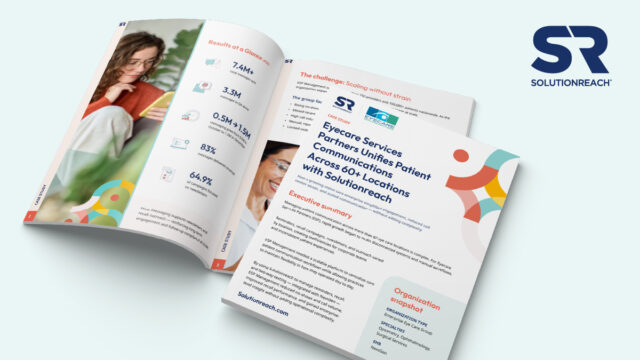
How do 60+ locations standardize patient communication without overwhelming staff?
👉 Download the ESP case study to see how unified workflows reduced no-shows, lowered call volume, and scaled engagement across 200+ providers.