Is the Front Desk Disappearing or Just Evolving with Scheduling Software?
If your front desk feels overwhelmed, it’s not just your practice. It’s an industry-wide shift.
Across healthcare, front desk teams are balancing high call volumes, complex scheduling demands, and ongoing staffing challenges. At the same time, patient expectations have changed. People want faster, more convenient access to care, and they don’t always want to pick up the phone to get it.
In fact, research published by Health Affairs Scholar found that 72.1% of patients still rely on phone calls to schedule appointments, highlighting how dependent practices remain on manual workflows, and how much opportunity exists to improve access through digital options.
The front desk isn’t disappearing, but it is evolving.
Today, many of the tasks that once required staff intervention are shifting to digital workflows. And increasingly, a patient’s first interaction with your practice is through patient scheduling software, not a phone call.
Why Traditional Front Desk Scheduling Models Break Down at Scale
The traditional front desk model works until demand increases.
Most practices still rely on:
- Phone-based scheduling
- Manual appointment entry
- Limited booking hours
But these systems are difficult to scale.
For multi-location practices, the challenge becomes even more complex:
- Inconsistent scheduling workflows
- Limited visibility across providers or locations
- Redundant administrative effort
The result is a clear bottleneck:
Front desk capacity directly limits patient access, efficiency, and growth.
How Solutionreach Helps
Solutionreach reduces reliance on manual scheduling by enabling digital booking, automated reminders, and patient self-service, helping teams manage higher volume without increasing workload.
👉 Explore patient engagement solutions ->
What Automated Appointment Scheduling Really Looks Like Today
Automated appointment scheduling is often misunderstood.
It’s not just about putting a calendar online. It’s about enabling a fully self-service experience for patients.
Modern systems allow patients to:
- Book appointments in real time
- Receive instant confirmations
- Reschedule without calling
- Get automated reminders
All without requiring staff involvement.
But automation doesn’t eliminate the need for your front desk. It changes how your team spends its time.
Instead of handling repetitive scheduling tasks, staff can focus on:
- Complex patient needs
- In-person interactions
- Higher-value support
That’s where real efficiency gains happen.
How Is Online Scheduling in Healthcare Changing Patient Behavior?
Patient expectations are driving this shift more than anything else.
Today’s patients expect:
- 24/7 access to scheduling
- Mobile-friendly booking experiences
- Immediate confirmation
And when those expectations aren’t met, access suffers.
Research shows that 34% of patients have delayed or avoided scheduling care due to poor booking experiences.
There’s also a clear shift toward self-service preferences:
- Patients want to avoid waiting on hold
- They prefer managing appointments on their own time
- They expect digital convenience similar to other industries
This is why online scheduling in healthcare is no longer a “nice to have.” It’s becoming a baseline expectation.
How Solutionreach Helps
Solutionreach enables real-time online scheduling that connects directly to patient communication workflows, making it easy for patients to book and manage appointments anytime.
👉 Explore online scheduling ->
Why Is Automated Scheduling Becoming the New Front Desk?
The concept of the front desk is expanding.
It’s no longer just a physical space. It’s now a combination of:
- Digital access points
- Automated workflows
- Staff support when needed
Here’s how responsibilities are shifting:
Automation handles:
- Appointment booking
- Confirmations and reminders
- Rescheduling
- Routine inquiries
Staff focuses on:
- Complex patient interactions
- In-office experience
- Relationship building
And the impact is measurable.
Automation can reduce administrative workload by up to 40%, freeing staff from repetitive coordination tasks.
The key takeaway:
Automation doesn’t replace your front desk. It expands its capacity.
How Solutionreach Helps
Solutionreach extends front desk capacity by automating routine scheduling tasks while keeping staff connected through real-time communication and scheduling visibility.
👉 Explore automated patient engagement ->
Key Benefits of Patient Scheduling Software for Healthcare Practices
How Does It Reduce Call Volume?
When patients can self-schedule, fewer calls are needed, which frees staff to focus on higher-priority tasks.
How Does It Improve Schedule Utilization?
Automated reminders and easy rescheduling help reduce gaps caused by cancellations and no-shows.
How Does It Increase Access to Care?
24/7 booking removes time constraints, allowing patients to schedule when it’s most convenient.
How Does It Create a More Consistent Patient Experience?
Standardized workflows ensure every patient has the same seamless experience—regardless of location.
How Solutionreach Helps
Solutionreach combines scheduling, reminders, and two-way communication to help reduce call volume and improve appointment utilization.
👉 Explore automated patient appointment reminders ->
What Automated Scheduling Means for Multi-Location Practices
As practices grow, scheduling complexity grows with them.
Common challenges include:
- Inconsistent processes across locations
- Limited visibility into availability
- Disjointed patient experiences
Even small inefficiencies multiply quickly at scale.
Automation helps by enabling:
- Standardized scheduling workflows
- Centralized visibility
- Consistent patient experiences across locations
How Solutionreach Helps
Solutionreach supports multi-location practices by standardizing scheduling and communication workflows while maintaining flexibility at the individual location level.
👉 Explore multi-location management ->
Why Patient Scheduling Software Must Be Connected to Patient Communication
Scheduling alone doesn’t ensure patients show up.
Breakdowns often occur when systems are disconnected:
- No confirmations
- Missed reminders
- Difficult rescheduling
A connected workflow looks like this:
Booking → Reminder → Confirmation → Follow-up
When these steps are automated and connected, practices reduce no-shows and improve efficiency, while making it easier for patients to stay engaged.
How Solutionreach Helps
Solutionreach connects scheduling with reminders and two-way messaging so patients can confirm or reschedule without staff involvement.
👉 Explore our patient communication platform ->
How to Evaluate Patient Scheduling Software for Your Practice
When evaluating patient scheduling software, look for:
- Real-time scheduling capabilities
- Integration with your existing systems (practice management system/EHR)
- Automated confirmations and reminders
- Multi-location support
- A simple, intuitive patient experience
The goal isn’t just to digitize scheduling. It’s to reduce manual coordination entirely.
How Solutionreach Helps
Solutionreach integrates with leading systems and connects scheduling with communication workflows, helping practices improve consistency and efficiency.
How to Evaluate Patient Scheduling Software for Your Practice
You don’t need a full transformation to get started.
Begin with:
- Online scheduling
- Automated reminders
These two steps alone can:
- Reduce front desk workload
- Improve patient access
- Increase scheduling efficiency
From there, you can build toward a more connected, automated experience.
Frequently Asked Questions About Automated Scheduling
What is automated appointment scheduling in healthcare?
It allows patients to book, confirm, and manage appointments digitally without staff involvement.
How does patient scheduling software reduce front desk workload?
By automating repetitive tasks like booking, confirmations, and reminders.
What are the benefits of online scheduling in healthcare?
Improved access, reduced no-shows, fewer phone calls, and better patient experience.
Can automated scheduling replace the front desk?
No, it enhances it by freeing staff to focus on more meaningful patient interactions.
What should multi-location practices look for in scheduling software?
Consistency, scalability, integrations, and ease of use.
Key Takeaways
Automated scheduling is redefining what the front desk looks like in modern healthcare practices. By using patient scheduling software and online scheduling tools, practices can expand access to care, improve efficiency, and meet evolving patient expectations, without increasing staff workload.
Rather than replacing front desk teams, automation supports them by reducing repetitive tasks and creating more consistent workflows, especially for multi-location practices. The result is a more streamlined operation, better patient experiences, and a front desk that can scale alongside your growth.
Is Your Front Desk Ready to Evolve?
The front desk is no longer confined to a physical space. It’s becoming a digital, always-on access point for patients.
By adopting automated appointment scheduling and online scheduling in healthcare, practices can improve access, reduce administrative burden, and create a more consistent patient experience.
And more importantly, you can do it without adding more work for your team.
Ready to see how automated scheduling can transform your front desk?
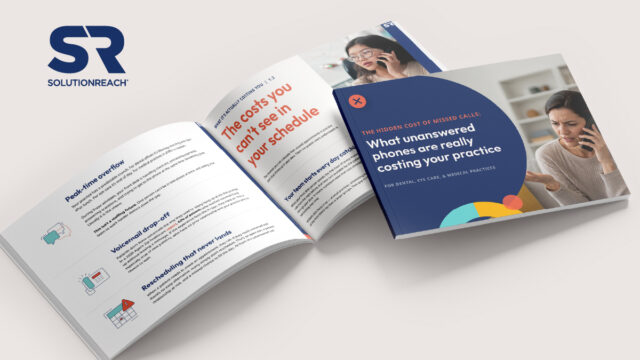
Your missed-call problem may be bigger than you think.
Use the guide to put a number on it.