Healthcare practices become more complex behind the scenes as they grow. What once felt manageable, scheduling appointments, confirming visits, collecting forms, and following up with patients, can quickly turn into a web of disconnected tasks.
To keep up, many practices adopt individual tools to solve specific challenges. One platform handles reminders, another manages intake forms, while others support messaging or payments.
At first, these tools help. Over time, they can introduce new friction. Staff end up switching between systems, manually coordinating workflows, and filling in gaps where tools don’t connect.
That’s where healthcare workflow automation makes a difference. The right platform not only automates tasks but also simplifies how your entire practice operates.
In this guide, we’ll walk through how to evaluate your options so you can choose a solution that supports both efficiency and patient experience.
Why Do Growing Practices Need Workflow Automation?
Growth is a good thing, but it often brings hidden operational strain.
As appointment volumes increase, scheduling becomes more complex. Front-desk teams spend more time answering phones, confirming visits, and managing patient communication. Meanwhile, many practices still rely on manual processes for reminders, follow-ups, and intake.
It adds up quickly.
According to the American Medical Association, physicians spend nearly two hours on administrative tasks for every hour of direct patient care. This highlights how operational demands can outpace clinical work.
It’s not just physicians feeling it. McKinsey estimates that up to 25% of healthcare spending is administrative, much of it tied to inefficient processes.
Common signs your practice may need healthcare workflow automation:
- Increasing appointment volume and scheduling complexity
- Front-desk teams overwhelmed by calls and coordination
- Manual reminders, confirmations, and follow-ups
- Multiple tools handling different parts of patient communication
How Solutionreach helps:
Solutionreach supports patient communication automation across reminders, confirmations, messaging, and engagement. This reduces manual work while improving consistency.
👉 Explore Patient Engagement Solutions ->
Where Healthcare Workflow Automation Makes the Biggest Impact
Not all workflows are created equal. The biggest gains come from automating repetitive, high-volume tasks that directly impact both staff workload and patient experience.
Start with workflows like:
- Appointment reminders and confirmations
- Self-service rescheduling and two-way messaging
- Digital intake forms and pre-visit communication
- Preventive care recall and follow-up outreach
- Billing and payment reminders
These are not just operational improvements. They also drive measurable results.
For example, appointment reminders significantly improve attendance rates and help reduce costly no-shows.
With the right practice workflow automation, your team spends less time on repetitive tasks while patients stay informed and engaged.
How Solutionreach helps:
Solutionreach enables automated reminders, messaging, recall campaigns, and engagement tools. These capabilities streamline everyday workflows.
👉 Explore Patient Engagement Software ->
What to Look for in Healthcare Automation Software
Choosing the right healthcare automation software goes beyond checking feature boxes. The goal is to find a platform that supports both operational efficiency and the patient experience.
A strong solution should include:
- Integration with your practice management system or EHR
- Automated patient communication tied to scheduling workflows
- Two-way messaging and digital engagement tools
- Centralized management for multi-location practices
- Reporting and visibility into performance
Why does this matter?
Disconnected tools create blind spots. When systems do not work together, it becomes harder to improve efficiency or deliver a consistent patient experience.
The best platforms connect workflows into one cohesive system. This makes it easier to scale without adding complexity.
How Solutionreach helps:
Solutionreach integrates directly with healthcare systems while supporting end-to-end patient communication automation across your practice.
When Practice Workflow Automation Outgrows Point Solutions
Point solutions are often the first step toward automation. They solve immediate problems and are relatively easy to implement.
As practices grow, their limitations become more obvious.
Common challenges with disconnected tools:
- Separate systems for reminders, forms, messaging, and engagement
- Staff switching between platforms to manage patient communication
- Limited visibility into performance and engagement
- Workflows that still require manual coordination
In other words, the tools work, but they do not work together.
That’s why many growing organizations move toward practice workflow automation platforms that unify workflows across the entire patient journey.
How Solutionreach helps:
Solutionreach brings reminders, messaging, recall campaigns, and engagement workflows into one connected platform. This reduces friction and improves efficiency.
👉 Explore automating front-office operations ->
Evaluating Healthcare Automation Software for Multi-Location Practices
For multi-location practices, complexity increases quickly. What works for one office does not always scale across several.
When evaluating healthcare automation software, look for solutions that support:
- Consistent workflows across locations
- Centralized administration with local flexibility
- Standardized patient communication templates
- Visibility into engagement across locations
These capabilities help maintain consistency while allowing individual offices to operate effectively.
According to PwC, centralized and standardized processes are key to scaling healthcare operations while maintaining quality and patient experience.
How Solutionreach helps:
Solutionreach supports multi-location organizations with centralized communication management and flexible workflows at the local level.
👉 Explore Multi-Location Solutions ->
Frequently Asked Questions About Patient Communication Automation
What is healthcare workflow automation for medical practices?
Healthcare workflow automation uses technology to streamline routine administrative and communication tasks like scheduling, reminders, intake, and follow-ups.
How does workflow automation improve front-desk efficiency?
It reduces repetitive tasks such as phone calls and manual reminders. Staff can then focus on higher-value work and in-person patient interactions.
What workflows should practices automate first?
Start with high-volume tasks like appointment reminders, confirmations, and intake forms. These deliver quick wins.
How does automation reduce no-shows?
Automated reminders and confirmations keep patients informed and make it easy to confirm or reschedule appointments.
Why move beyond point tools?
As practices grow, disconnected tools become harder to manage. A unified platform simplifies coordination and improves efficiency.
What should multi-location practices prioritize?
Look for centralized control, standardized workflows, and reporting across locations.
A Simple Checklist for Choosing Practice Workflow Automation
Choosing the right platform does not have to be overwhelming. Focus on the capabilities that matter most for long-term success:
Integration with core systems
- Does it connect with your EHR or practice management system?
- Can it tie automation directly to scheduling and patient records?
End-to-end workflow automation
- Does it automate full workflows or just individual tasks?
- Can it connect scheduling, messaging, and follow-ups?
Patient communication automation tools
- Does it support reminders, confirmations, and two-way messaging?
- Can it keep patients informed without adding staff workload?
Scalability
- Can it grow with your practice or additional locations?
- Does it support centralized oversight?
Operational visibility
- Does it provide reporting on engagement and performance?
- Can leadership track improvements over time?
The most effective healthcare workflow automation platforms connect workflows across the entire patient journey, not just individual tasks.
Key Takeaways
Healthcare workflow automation plays a critical role in helping growing practices manage increasing complexity without overloading staff.
Many organizations start with point solutions, but those tools often create fragmented workflows over time. The greatest value comes from connecting processes across scheduling, patient communication, intake, and follow-up.
With the right platform, practices can reduce manual coordination, improve consistency, and create a better experience for both staff and patients.
Ready to Simplify Your Practice Workflows?
Solutionreach helps growing practices streamline operations through connected patient communication automation, including reminders, messaging, recall campaigns, and engagement tools.
See how you can reduce manual work while improving patient experience and operational efficiency.
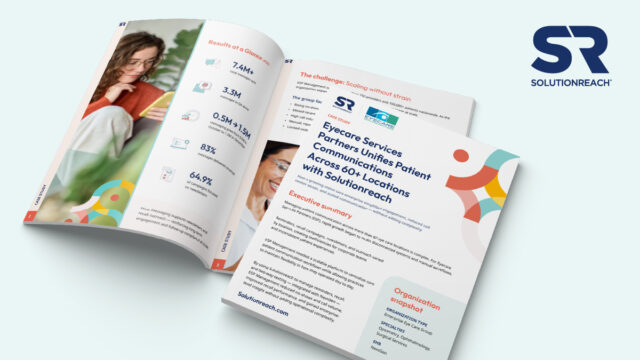
How do 60+ locations standardize patient communication without overwhelming staff?
👉 Download the ESP case study to see how unified workflows reduced no-shows, lowered call volume, and scaled engagement across 200+ providers.