








Never let a patient hit voicemail again

The Solutionreach AI-Powered Virtual Scheduling Assistant helps healthcare practices capture appointments after hours and during busy phone times — so patients get immediate access without replacing your front desk.

Meet Stella

You’re in control. Seamless when you need assistance. Silent when you don’t. Turn on each scenario to hear how Stella responds.

Scheduling an Appointment

00:00

Rescheduling an Appointment

00:00

Information Inquiry

00:00
Book a Demo

When phones go unanswered, patients are missed.

Practices rely on calls and texts to schedule care. But when the office is closed — or the front desk is handling multiple calls — patients often wait, leave voicemail, or hang up. Even well-staffed practices miss opportunities when demand spikes.

Never let a patient go to voicemail again.

When calls go unanswered

Staff get overwhelmed by routine scheduling calls
Patients wait, leave voicemail, or hang up
Appointment requests are missed
Bookings are abandoned
Openings go unfilled and production is lost
Teams lose visibility into what happened

When Stella assists

Routine scheduling calls are handled automatically
Patients get a faster way to schedule care
More appointment requests are captured
More calls turn into booked appointments
Schedules stay fuller and production is protected
Teams can see what happened with each interaction

Introducing the AI-Powered Virtual Scheduling Assistant

Listen: Scheduling an Appointment

Stella answers calls and SMS messages when your team can’t — helping patients schedule, reschedule, or cancel appointments in real time.

Think of Virtual Scheduling Assistant as your AI-powered voicemail replacement — a safety net for every scheduling communication that your team can’t take.

Book a Demo

What the assistant does

Answers when your team can’t
Answers hours, address, and practice information requests
Books, reschedules, and cancels appointments
Confirms appointment details with patients
Logs conversations for staff review
Improves your patient experiences

What it doesn’t do

Replace your front desk team
Handle conversations meant for staff
Override your scheduling rules
Leave patients without confirmation
Remove control or visibility
Change how your team manages patient relationships

YOUR FRONT DESK BACKUP IS HERE

Stella captures scheduling requests when your team is unavailable

When a patient calls outside office hours — or during high call volume — the Virtual Scheduling Assistant answers immediately.

Patients speak conversationally, request an appointment, and receive confirmation without waiting for the office to reopen.

Most practices begin by activating the AI Assistant after hours to capture missed appointments without changing daytime workflows.

Double your investment, guaranteed.

Claim Your 200% Guarantee

Built for practices that want better patient access

The AI-Powered Virtual Scheduling Assistant is designed for practices that:

  • Experience high call volume during busy times
  • Miss calls after hours
  • Want to capture more appointment opportunities
  • Prefer to start with low-risk automation

Calculate Your Practice’s ROI

Recommended starting point:

Most practices launch after hours before expanding coverage

Primary Beneficiaries:

Patients, practice managers, and clinical staff

Primary Users:

Front desk and scheduling teams

One connected experience

The Virtual Scheduling Assistant connects directly into your Solutionreach workflows — so every scheduling action moves seamlessly from call to confirmation. Instead of managing separate tools, your team gets one connected experience that keeps appointments moving without added effort.

Select a workflow
Call Phone System Virtual Scheduling Assistant Schedule Confirmation Notification

How it works

When a patients calls, Stella answers through your existing phone system, finds available times, and books the appointment in real time directly into your Solutionreach calendar and practice management system–no double bookings. Confirmation and reminders are sent automatically as part of your Solutionreach appointment workflows.

Connected Solutionreach Features

Call Phone System Virtual Scheduling Assistant Reschedule Confirmation Reminder

How it works

The assistant identifies the existing appointment, offers updated availability, and reschedules in real time. The new appointment is confirmed immediately, with updated reminders sent automatically. 

Connected Solutionreach Features

Call Phone System Virtual Scheduling Assistant Reschedule Cancel

How it works

The assistant identifies the existing appointment, offers updated availability, and reschedules in real time. The new appointment is confirmed immediately, with updated reminders sent automatically directly into your Solutionreach calendar and practice management system.

Connected Solutionreach Features

What better scheduling access unlocks

Capture appointments that would otherwise go to voicemail

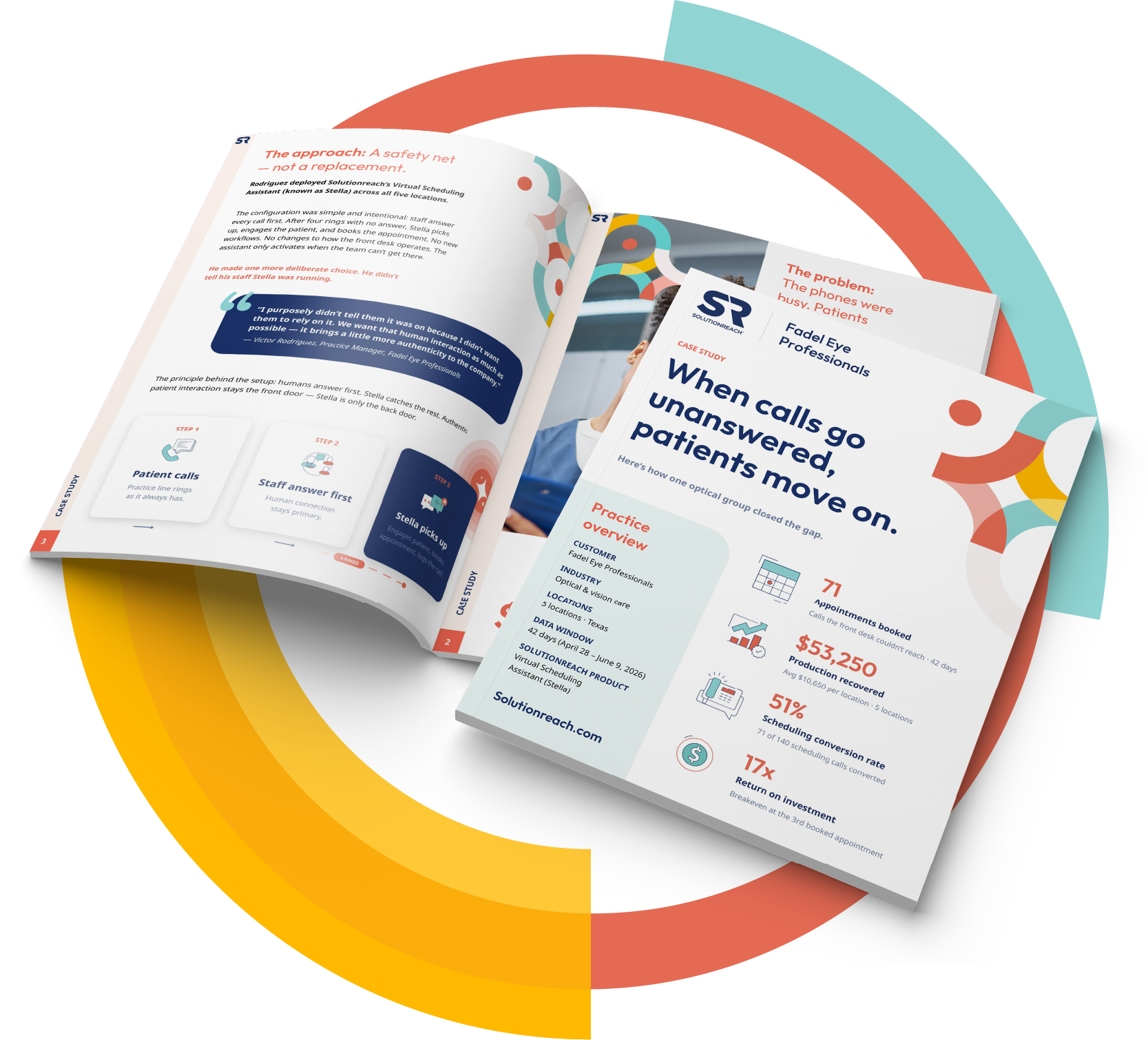
One beta optometry group added $53,250 in production across 5 locations in 42 days — a 17x return on their Stella investment.

Stella Beta User
Multi-Location Eye Care Practice

Download Case Study

Automation with full visibility

Practices remain fully in control of how and when the assistant supports scheduling.

Teams can define scheduling rules, review conversations, and adjust coverage at any time.

Every interaction is visible inside Solutionreach.

Control Features:

Define scheduling parameters
Provider availability and preferences
Turn ON/OFF to answers calls and SMS messages
Review call transcripts and outcomes

Patient Experience FAQs

Does a real person answer the phone?

When the Virtual Scheduling Assistant answers, patients are greeted immediately with a natural, conversational voice—no hold times, no phone trees, and no voicemail.

Will patients know they’re speaking with an assistant?

Yes. The experience is transparent and designed to be helpful, respectful, and easy to understand.

What can the assistant help patients with?

The assistant can:

  • Schedule new appointments
  • Reschedule or cancel existing appointments
  • Confirm appointment details

All actions happen in real time, just like speaking with the front desk.

What if a patient has a complex request?

If a request falls outside what the assistant is designed to handle, it’s routed appropriately so the office can follow up. Nothing gets stuck or lost.

Does this replace the front desk?

No. The assistant supports the front desk by handling access during after-hours or busy periods—so staff can focus on in-office patients and higher-touch needs.

How does this improve the patient experience?

Patients get:

  • Immediate answers
  • No waiting on hold
  • No phone tag
  • The ability to call after hours or on weekends

Admin Control & Oversight FAQs

Do we control what the assistant can do?

Yes. Practices define:

  • Which appointment types can be scheduled
  • Provider availability
  • When the assistant is active (after hours, busy times, or both)
  • What actions are allowed or restricted

Can we start small?

Absolutely. Most practices begin with after-hours coverage and expand only if and when they’re ready.

Can we see what the assistant says to patients?

Yes. Every interaction is logged and visible inside Solutionreach, giving full transparency into what was discussed and booked.

Is anything automated without our knowledge?

No. The assistant follows predefined rules and guardrails. It does not make independent decisions outside of what the practice allows.

What happens if something doesn’t look right?

Practices can review conversations, adjust rules, and refine workflows at any time.

Solutionreach’s AI-Powered Virtual Scheduling Assistant helps practices capture appointments that would otherwise be missed — improving patient access while supporting teams who deliver care.

Automation without losing oversight