SUMMARY
This release brings updates across several key areas to help your practice run more smoothly, from reaching new patients faster to verifying coverage in more places:
- SR Conversations: Larger message controls improve selection and accessibility
- Intake: Save Draft is now available to more patients
- Location Hub: Improved search, navigation, and selection make practices easier to find
- Patient-facing Products: Updated colors and controls improve readability and accessibility
- Session Timeout: Clearer logout messages explain what happened and help users resume work
- SR Schedule Pro: Appointment-change notifications make updates easier to review
- AI Receptionist (Stella): New naming, expanded text-response periods, and location selection improve setup and scheduling
- Telehealth: Improved session lists make current appointments easier to find and manage
 Intake — Complete intake forms with less repeated data entry
 Intake — Complete intake forms with less repeated data entry
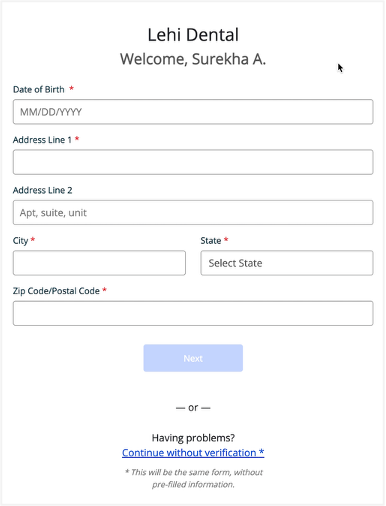
Patients missing a date of birth or address on file are now prompted to provide or verify those details before completing an online intake form. Known demographic information can then be prefilled in the form, reducing repeated data entry and allowing patients to use Save as Draft.


Conversations —Select message controls more easily
Message controls in Conversations are now easier to select. Larger clickable areas and an updated design help reduce misclicks and improve accessibility.
OLD
 NEW
NEW

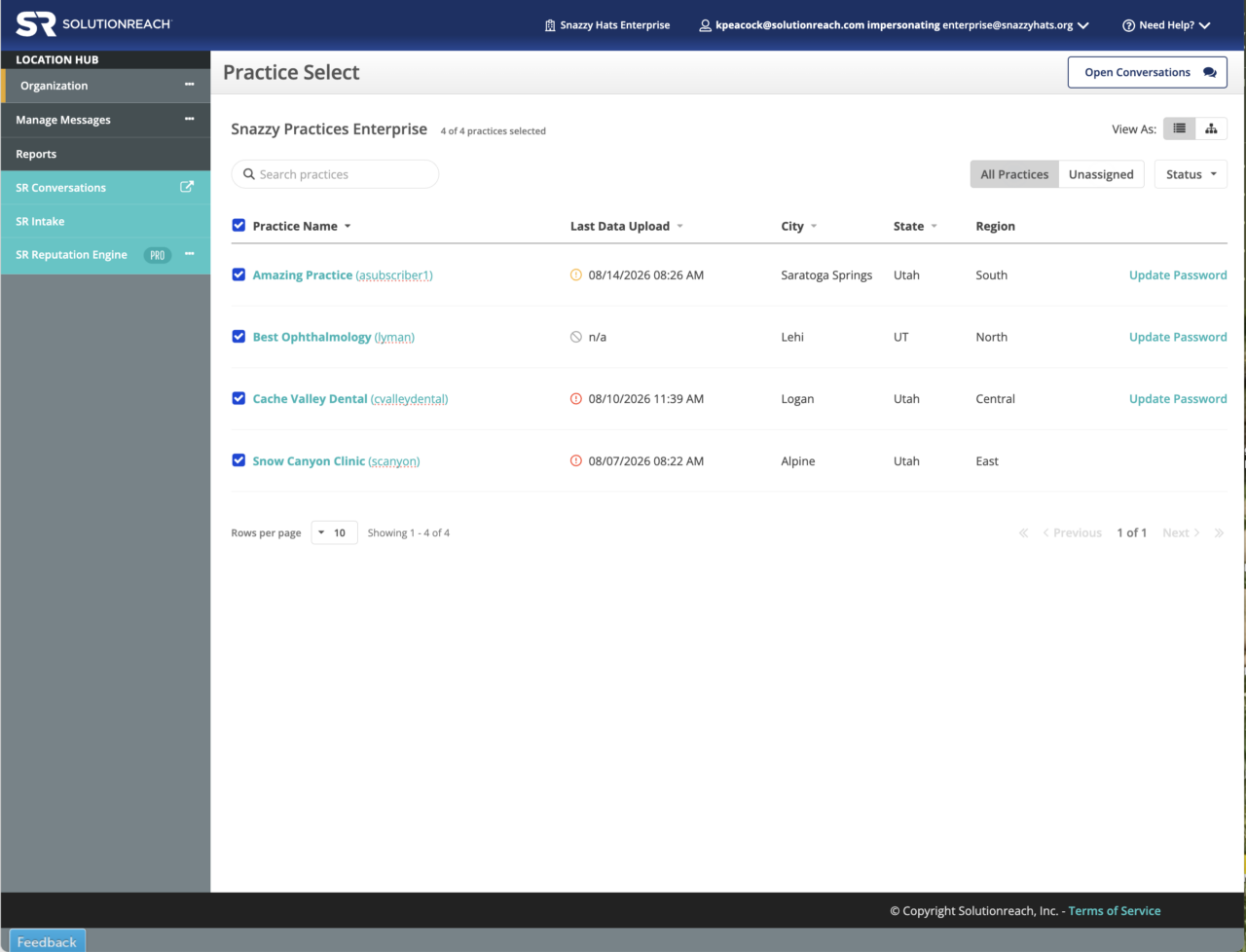
Location Hub — Find the right practice more easily
Finding and selecting a practice is now easier on the Practice Select page. Larger clickable areas, improved navigation, an updated search bar, and cleaner alignment help reduce misclicks and make practices easier to find.
Patient-facing Products — Make patient-facing controls easier to see and use
Schedule, Intake, and Check-in now use updated colors and toggle styling to improve readability and accessibility. Interactive controls are easier for patients to identify and use.
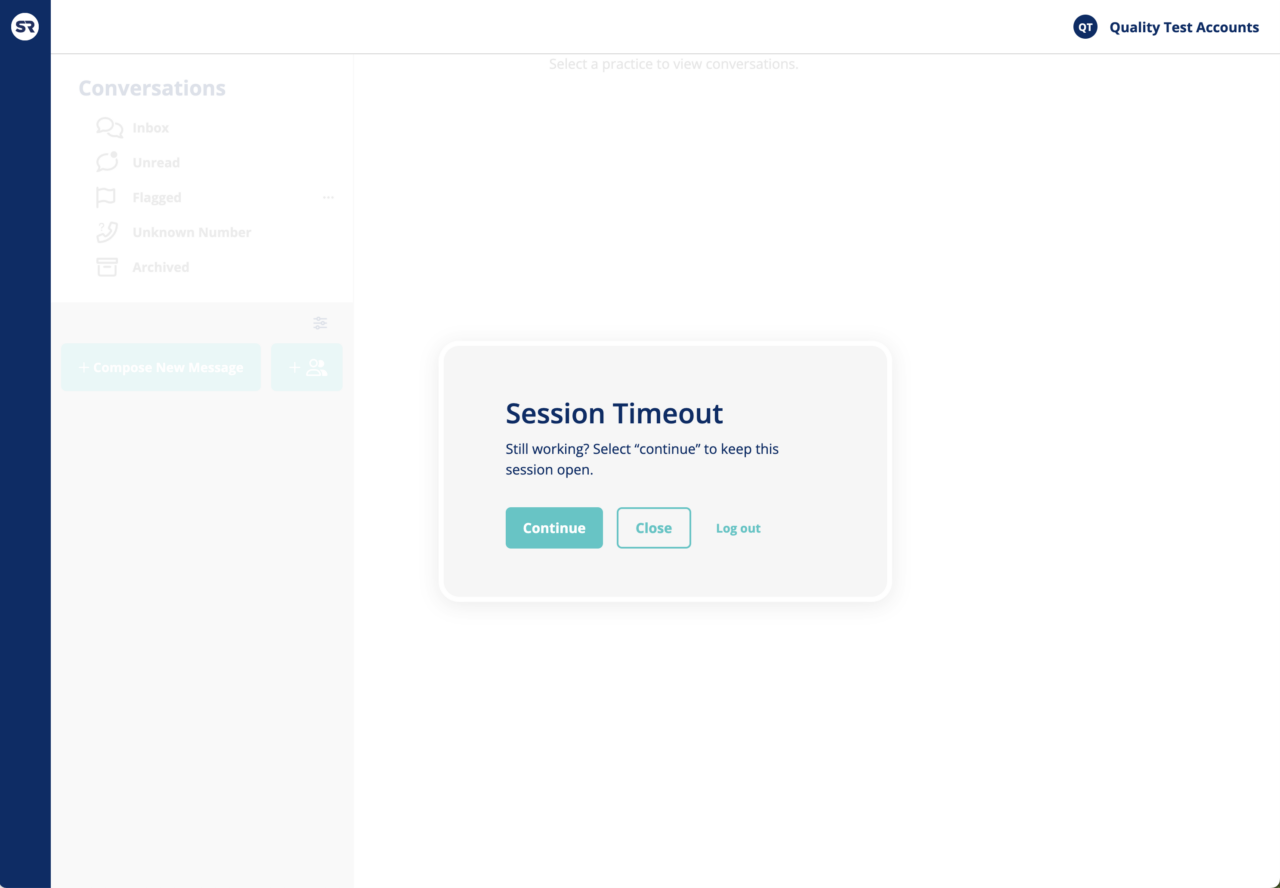
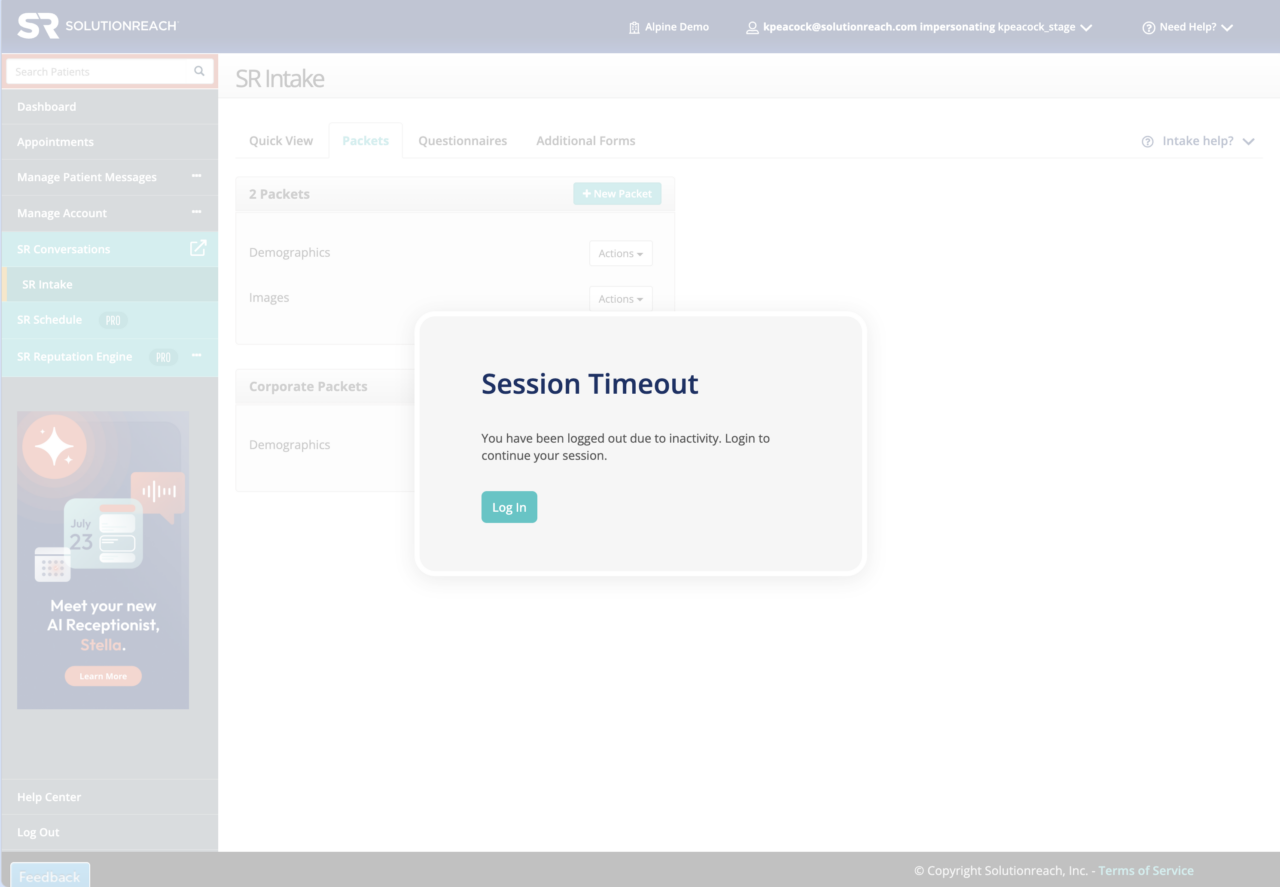
Session Timeout — Know why you were logged out and get back to work
Updated logout screens in Conversations and Platform now explain whether you logged out manually or your session expired. Clear options let you continue, log out, or sign back in. After signing back in, you’ll return to your previous location so you can continue your work with less disruption.
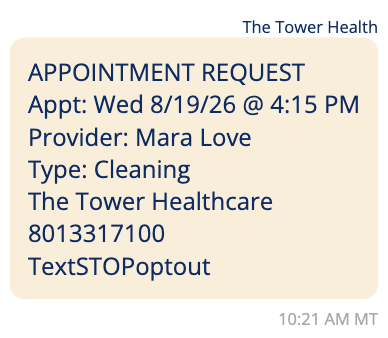
SR Schedule Pro — See appointment changes more clearly in staff notifications
Staff notifications for appointment requests, cancellations, and reschedules now separate previous and updated appointment details more clearly. Staff can quickly see what changed and accurately update the patient management system.
AI Receptionist (Stella) —Virtual Scheduling Assistant is now AI Receptionist
Virtual Scheduling Assistant is now called AI Receptionist throughout Solutionreach, including settings, greetings, notifications, tooltips, and other product labels. Consistent naming makes the feature easier to recognize and manage.
AI Receptionist (Stella) — Set multiple text-response periods each day
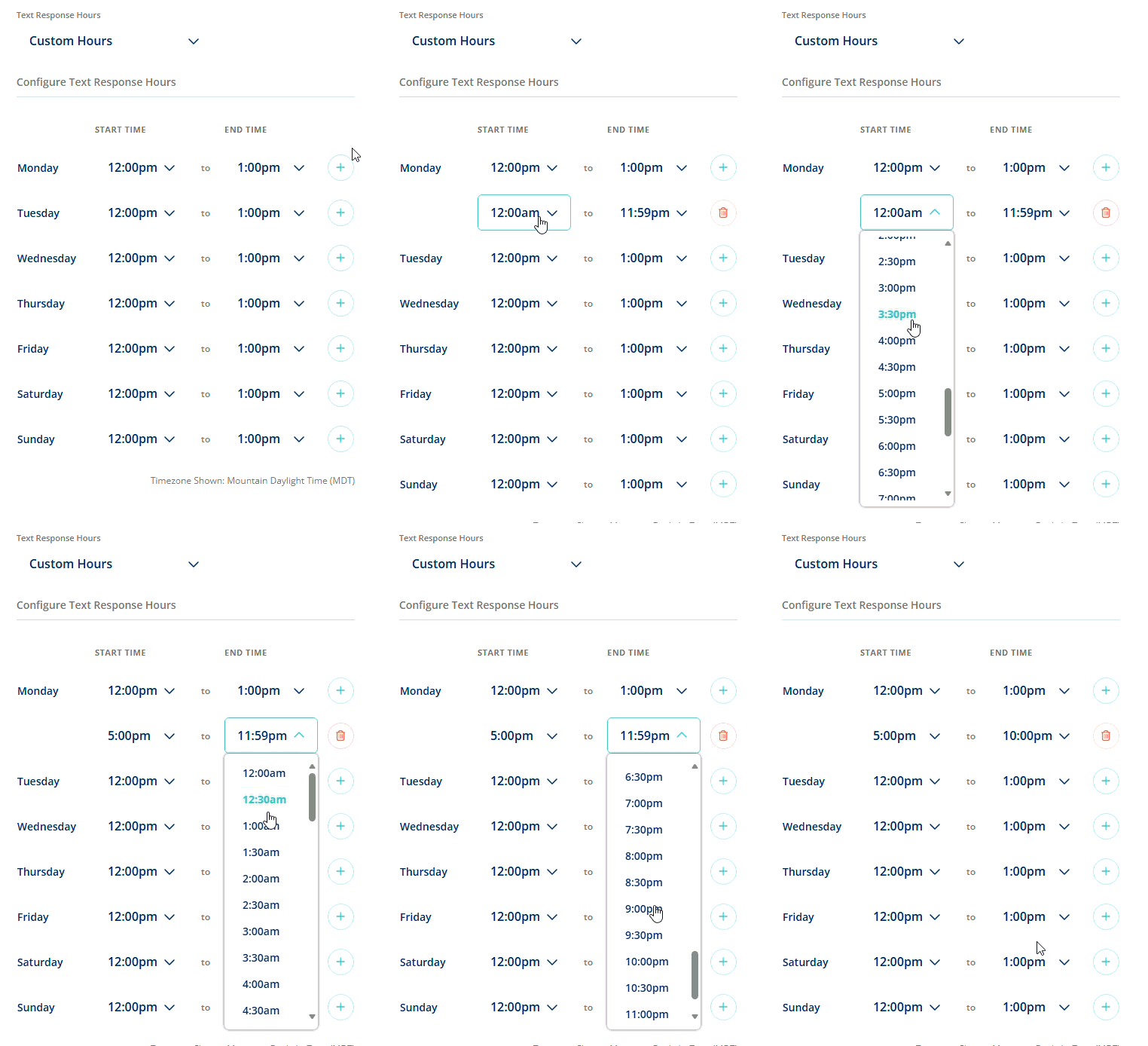
Practices with split schedules or multiple availability windows can now configure up to five separate AI Receptionist text-response periods for each weekday. Existing single-period settings are preserved.
AI Receptionist (Stella) — See AI Receptionist availability at a glance
Support teams can now view a concise summary of AI Receptionists by account, type, language, and number available, making availability across enterprise and associated accounts faster to review.
AI Receptionist (Stella) — Let patients choose a location when scheduling by text
Patients scheduling by text can now select an eligible location before starting the scheduling conversation when a practice has multiple AI Receptionists. This directs patients to the scheduling options for their preferred location.
Telehealth — Find current Telehealth sessions more easily
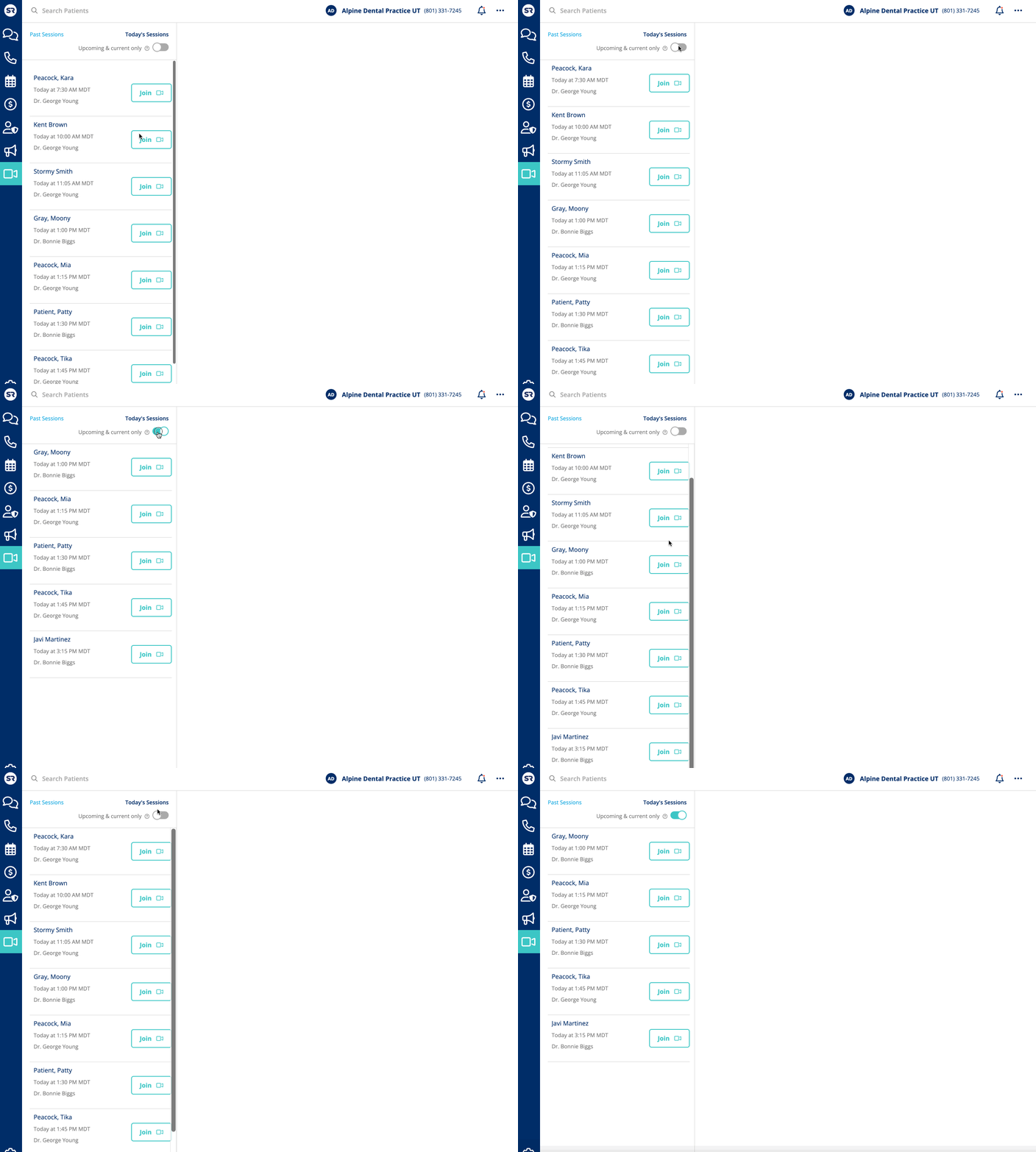
Long Telehealth session lists are now easier to manage. Turn on the new Upcoming & current only toggle to filter out sessions that began more than an hour ago, while scrolling makes it easier to find the appointments you need.
Location Hub — Preview custom Group messages without an irrelevant warning
The Write Your Own Message preview no longer displays an Unable to load locations warning. Because assigned locations don’t apply to this template, that section is now hidden.