SUMMARY
In this release, we’re rolling out updates that improve insurance workflows, scheduling accuracy, patient accessibility, and payment reliability:
- Insurance: Same-day automatic re-verification for more up-to-date appointment coverage
- Insurance: Easier payer connection management with disconnect options and improved alerts
- SR Schedule: Automatic dental insurance verification for appointment requests
- SR Schedule: Expanded insurance fields, searchable payer lists, and French language support
- Location Hub: Appointment ID reporting for better request-to-visit tracking

Communications – Update Birthday Message YouTube Links
We’ve updated the YouTube links used in birthday messages so they point to current, working videos. Each link has been checked to make sure it opens correctly, helping your birthday messages continue to deliver a smooth experience for patients.
Insurance – Payer options simplified
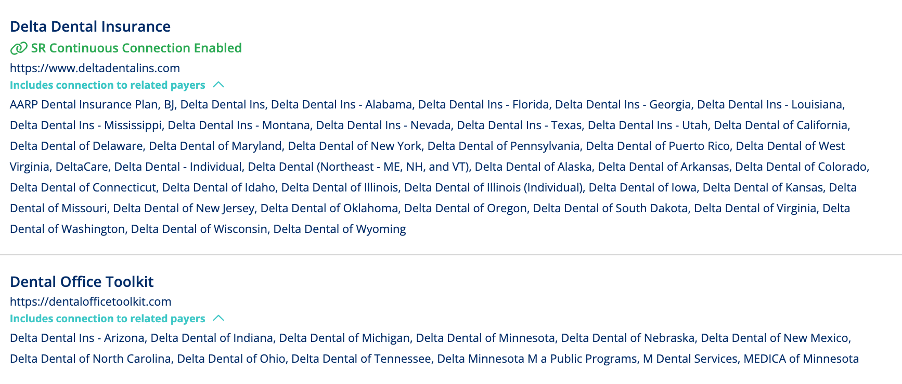
Insurance Premium users can now disconnect payer connections directly in Solutionreach, whether the payer is currently connected or needs to be reconnected. Before the connection is removed, you’ll see a confirmation message so you can review and confirm the change.
Insurance – Verify insurance on the day of the appointment
You can now choose a new “Same-day” option for automatic insurance re-verification. This allows coverage to be checked on the morning of a patient’s appointment, helping your team work with the most up-to-date insurance information.
Insurance – Get clearer alerts for insurance connection issues
We’ve improved insurance data source notifications so failed authentication events now trigger the right alerts. This gives your team better visibility when a connection needs attention and helps make sure insurance connection statuses are easier to understand.
SR Schedule – Get clearer alerts for insurance connection issues
We’ve improved insurance data source notifications so failed authentication events now trigger the right alerts. This gives your team better visibility when a connection needs attention and helps make sure insurance connection statuses are easier to understand.
SR Schedule – Track appointment requests more easily
When an Appointment ID is available from your practice management system, it will now appear in the Appointment Request Details report in Location Hub. This makes it easier to follow an appointment request from scheduling through completion.
SR Schedule – Do not Allow Partial Authorizations
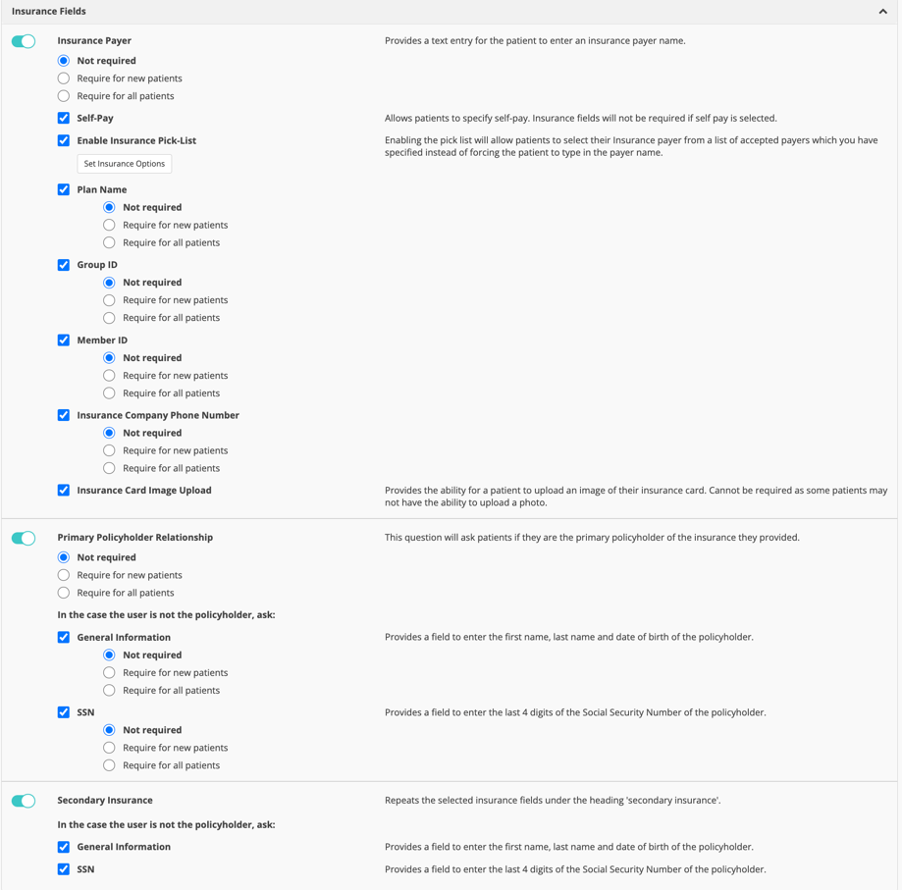
SR Schedule Basic and Pro can now collect additional insurance information during the scheduling process, including the patient’s relationship to the primary policyholder and secondary insurance details. These updates give your team more complete insurance information from the start.
SR Schedule – Find insurance payers faster
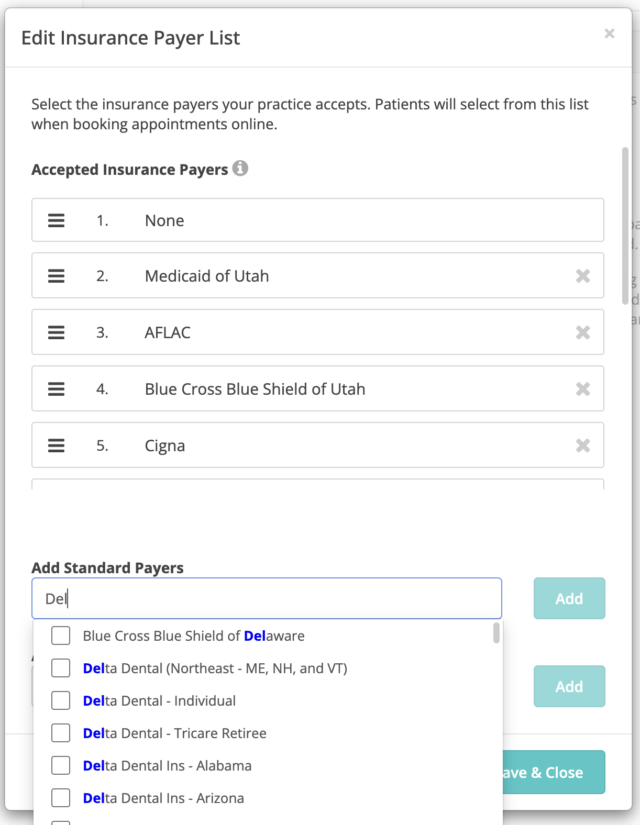
The insurance picklist in Schedule Settings is now searchable, making it easier to find and add supported payers when setting up SR Schedule.
SR Schedule – Offer scheduling in French
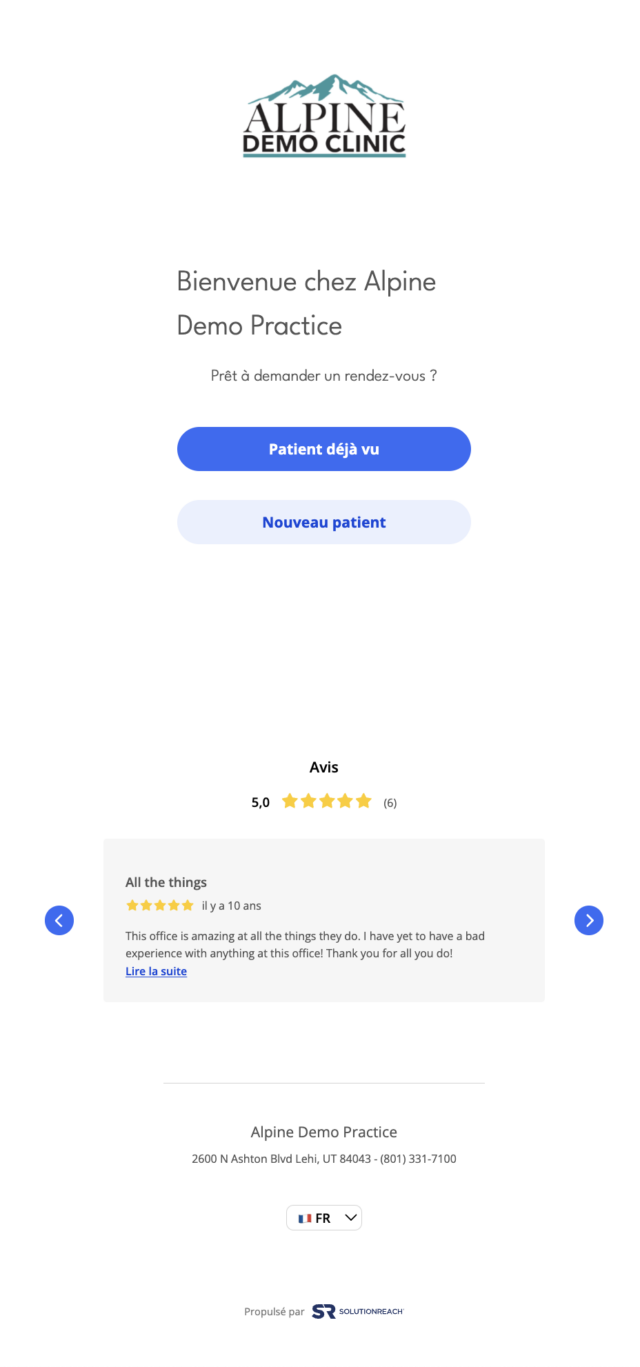
SR Schedule Basic and Pro now support French (FR-CA). When French is selected, static scheduling content is translated to create a clearer, more accessible experience for French-speaking patients.

SR Schedule – See the correct patient type in reports
We fixed an issue where returning patients scheduled through the new scheduling flow were incorrectly shown as “New” in reports. These patients now display correctly as “Returning,” giving your team more accurate scheduling and reporting information.
Patient Experience – View clearer patient profile details
We’ve updated how some patient details appear on the Patient Profile page so they’re easier to understand at a glance.
Message preferences now display as:
- “Healthcare”
- “Healthcare & Marketing”
Gender values now display as:
- “Female”
- “Male”
- “Other”
These updates replace less clear labels, such as “Informational” and single-letter gender codes, with wording that is easier for your team to read and recognize.
SR Schedule – Additional data points added to Notification Center
The notification tile for SR Schedule Pro and Basic appointment requests now displays all information provided by patients during booking, including new insurance fields, self-pay status, referral source, and vision eyewear details. This update helps users easily access and record all relevant patient data from appointment notifications.
SR Pay – Prevent duplicate payment submissions
The SR Schedule Appointment Requests Details report now includes UTM tracking columns and additional insurance fields, allowing users to better track appointment sources and insurance details. These updates are available on both the report screen and in downloaded reports.