Your front desk team is checking in a patient when the phone rings. Another caller is already on the line. The next call goes to voicemail.
Nothing is wrong with your team. They’re simply already helping someone else.
The same thing can happen before you open, during lunch, after hours, or over the weekend. If you manage several locations, the pressure may shift from one office to another throughout the day.
For a patient who is ready to schedule, voicemail saves the message. It doesn’t finish the appointment.
That’s why more practices are looking at AI receptionist tools as front-desk backup. Solutionreach’s AI Receptionist, Stella, is an AI-powered scheduling tool that can step in when your team can’t answer, helping patients schedule, reschedule, or cancel without waiting for a callback.
Why Missed Calls Still Happen When Your Front Desk Is Doing Everything Right
Calls rarely arrive when your team has nothing else to do. They come while someone is checking in a patient, collecting a payment, answering another call, or helping a provider with something that can’t wait.
A single-location practice may feel that pressure during a morning rush or lunch break. In a multi-location group, one office may be quiet while another is buried in calls. Either way, live coverage has limits.
Phone access is still a major patient-access issue. In a December 2025 MGMA poll of 236 medical practice leaders, online scheduling (24%) and phone access (22%) were nearly tied among their top access priorities for 2026.
Practice leaders are also looking more closely at AI for those same front-office pressure points. A February 2026 MGMA poll found scheduling (31%) and calls (27%) were the top two areas where respondents were focusing AI and automation efforts.
The appeal is practical: give routine scheduling calls somewhere useful to go when your front desk team is already occupied.
Voicemail Saves the Message, Not the Appointment
Voicemail is better than losing the call completely, but it still leaves the work with your team.
Someone has to listen to the message, open the schedule, call the patient back, and hope they answer. If they don’t, your team leaves another message and the phone tag starts.
That follow-up lands on top of the work already happening at the front desk. An answering service can take a message, but if it can’t complete a routine scheduling request, you still have the same callback waiting for you.
Timing can work against you, too. A patient who called during a break at work may not be able to answer an hour later when your team finally gets a chance to call back.
Telephone access can shape how patients experience care. A national Veterans Health Administration study published in the American Journal of Managed Care found that longer telephone answer times were associated with poorer patient perceptions of timely urgent-care access. Because the study was conducted within the VHA, it shouldn’t be used as a performance benchmark for an individual practice, but it reinforces why timely phone access matters.
What Can an AI Receptionist Handle When Your Team Can’t Answer?
An AI receptionist is most useful when it takes care of the routine calls that don’t need a staff member’s judgment.
Depending on the platform and your configuration, that can include:
- Answering calls during busy periods or after hours.
- Sharing basic practice information such as hours or address.
- Scheduling, rescheduling, or canceling supported appointments.
- Checking approved availability and confirming appointment details.
- Logging the conversation so your team can see what happened.
- Routing or flagging requests that need staff attention.
Clinical questions, sensitive situations, unusual requests, and anything outside the workflows you’ve approved should still reach the right person on your team. The point is to give routine scheduling calls a next step without asking AI to handle conversations that need human judgment.
How Solutionreach helps
Stella answers the calls your front desk team can’t get to and can schedule, reschedule, or cancel appointments in real time. Patients keep moving without another voicemail for your team to return.
👉 Explore Solutionreach AI Receptionist
How AI Scheduling Gives Your Front Desk Team Breathing Room
A missed call keeps creating work after the phone stops ringing. That’s the part AI scheduling can change.
When a routine request is handled while the patient is already on the phone, your team doesn’t have to add it to a callback list, leave another message, or reopen the same scheduling conversation later.
That gives your front desk team more room to stay with the patient in front of them instead of bouncing between check-in, ringing phones, and voicemail follow-up.
Visibility matters just as much as automation. Your team should be able to see whether the patient scheduled, changed an appointment, or still needs help. That makes the handoff much cleaner than a missed-call notification with no context.
For a multi-location group, that visibility can also help smooth out uneven coverage. One location may be handling a rush while another has already closed for the day. A consistent scheduling workflow gives patients the same path forward regardless of which office is busiest.
How Solutionreach helps
Stella logs each interaction so your team can see what was handled and what still needs attention. That gives one office, or several locations, a cleaner handoff without another callback list.
👉 See how Stella supports your front desk
When Is an AI Receptionist Worth Considering?
You don’t need every call to go unanswered before the problem is worth fixing. A few recurring patterns can tell you where your coverage is thin.
Take a look at what happens on a normal week:
- Does your callback list grow during check-in rushes or lunch?
- Do scheduling calls regularly hit voicemail after hours or on weekends?
- Are patients waiting on hold while your team helps people in the office?
- Do some locations struggle with phone coverage more than others?
- Are routine appointment changes taking time away from work that needs a person?
If those situations sound familiar, you may have a coverage problem more than a staffing problem. An AI receptionist can give you another way to provide 24/7 patient scheduling access for routine needs without asking your front desk team to be available around the clock.
A low-risk starting point is often after-hours coverage. That lets you see how the workflow performs when staff aren’t there to answer anyway, then decide whether peak daytime coverage would also help.
What Should You Look for in AI Receptionist Software?
Start with your workflow, not the AI label. The tool should make scheduling easier for patients and your team without creating another system that needs constant babysitting.
Does it work with the schedule you already use? Look for real-time access to approved availability and supported practice management or scheduling integrations so your team isn’t re-entering appointment details by hand.
Can you control what it handles? You should be able to set scheduling rules around appointment types, providers, locations, hours, and other boundaries that matter to your practice.
Can your team see what happened? Conversation logs, outcomes, and booking activity should be easy to review so staff know when a call is complete and when follow-up is still needed.
What happens when the request gets complicated? The system needs a clear handoff path for clinical, sensitive, unusual, or unsupported requests.
Can you start small? A focused rollout, such as after-hours scheduling, makes it easier to measure results before adding more coverage.
Does it fit your phone setup? If the AI receptionist requires you to rebuild your phone workflow around the tool, implementation may create more disruption than you need.
Privacy, security, implementation support, and training still belong on the evaluation list. The best fit is the tool that handles routine work reliably while making it easy for your team to stay informed and step in when needed.
How Solutionreach helps
You decide when Stella steps in, what she can schedule, and when a call should come back to your team. Many practices start after hours, then expand coverage as the workflow proves itself.
👉 Explore Solutionreach AI Receptionist
Frequently Asked Questions About AI Receptionists
What is an AI receptionist for a healthcare practice?
An AI receptionist is an AI-powered staff support tool that can answer routine patient calls when your team can’t. Depending on the solution, it may schedule, reschedule, or cancel appointments, answer basic practice questions, log conversations, and hand off requests that need a person.
Can an AI receptionist answer calls during and after office hours?
Yes. An AI receptionist can cover calls during busy office periods as well as before opening, after closing, and on weekends. Your practice controls when that coverage is active.
Can an AI receptionist schedule patient appointments?
Yes, when scheduling is supported by the platform and your configured rules. Patients can book, reschedule, or cancel eligible appointments using approved availability while your practice keeps control over what can be scheduled.
Will an AI receptionist replace my front desk team?
No. Its best role is handling routine scheduling work when your front desk team can’t take the call. Your staff still handles the conversations that need context, empathy, clinical knowledge, or judgment.
What happens when a patient needs a person?
Calls that fall outside approved workflows should have a clear path back to your team. Your practice decides which requests Stella can handle and which should be routed or flagged for staff follow-up.
Give Every Scheduling Call a Next Step
Your front desk team can’t answer two calls at once, and patients don’t always call when it’s convenient for the office. The problem with voicemail is that it postpones the work until later.
An AI receptionist gives routine scheduling calls another path. Patients can take care of common appointment needs when they’re ready, while your team keeps control of the rules and the conversations that need a person.
Solutionreach’s AI Receptionist, Stella, is built to be that backup when your team is busy or the office is closed.
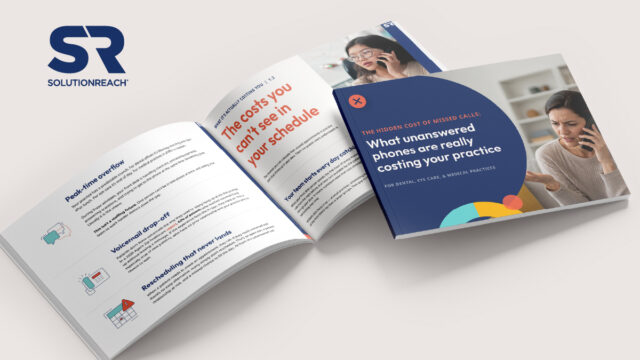
Your missed-call problem may be bigger than you think.
Use the guide to put a number on it.