
Automation Isn’t Failing. The Way It’s Implemented Is
You probably already have scheduling tools, reminder systems, and payment solutions in place. And yet your team is still overworked, still reactive, still manually filling gaps that automation was supposed to close.
The tools work. The problem is they work in isolation. Disconnected healthcare automation software automates individual tasks, not workflows. And that difference is costing practices more than most realize.
Why Healthcare Automation Software Often Falls Short
Add more automation and things will get easier. That’s the assumption. More often, teams end up managing the tools instead of benefiting from them.
Because most healthcare automation software is built to automate a task, not a workflow:
- A scheduling tool books the appointment
- A reminder tool sends the message
- A payment tool handles the bill
But if none of those are connected, your staff is still doing the coordination work by hand. Your patients and team feel it every day.
How Solutionreach Helps
Solutionreach connects scheduling, communication, and follow-up workflows — moving practices from isolated automation to coordinated processes.
👉 Explore Platform Overview
What Healthcare Workflow Automation Is Supposed to Do
Healthcare workflow automation connects the steps across the patient journey, so each action triggers the next automatically.
When it’s working:
- Patient schedules — confirmation goes out automatically
- Reminder follows at the right interval
- Completed visit triggers a follow-up based on the outcome
- Balance due triggers a payment notification without anyone initiating it manually
According to a peer-reviewed case study modeling a 10-provider primary care clinic, connecting just three workflows (scheduling, documentation, and claims) saved more than 3,000 administrative hours in a year.
Where it breaks down is when each step is its own separate project . That’s not a technology failure. It’s an integration failure, and it’s fixable.
How Solutionreach Helps
Solutionreach supports healthcare workflow automation by linking key steps like scheduling, reminders, and patient communication into a single connected workflow.
👉 Explore Patient Communication
The Hidden Cost of Disconnected Practice Automation Tools
When practice automation tools don’t talk to each other, your staff becomes the integration layer. The gaps between scheduling, communication, and payments become your team’s problem to manage manually.
Here’s where that shows up:
Manual Work Still Exists Between Systems
- Staff moving data between tools that should connect automatically
- Re-entering information across systems by hand
Gaps Between Scheduling, Communication, and Payments
- Appointment gets booked. But there’s no automated confirmation.
- Visit is completed. But no follow-up is tied to the outcome
Inconsistent Patient Experience
- Communication styles and timing vary by staff or location
- Confusing or delayed interactions erode trust and influence where patients seek care next.
Limited Visibility Across Locations
- Hard to track performance consistently across sites
- No shared view of workflows means you can’t standardize what you can’t see.
These gaps create the inefficiency that automation was supposed to solve.
Why This Problem Gets Worse at 2–5 Locations
Disconnected workflows are barely manageable at a single location. At two, three, or five locations, the same gaps don’t just continue. They multiply.
What changes at scale
At one location, workarounds are annoying. At three or five, processes drift, reporting becomes inconsistent, patient experiences vary by site, and what worked at one location starts showing up as a problem at five. The answer is workflows connected enough to scale.
How Solutionreach Helps
Solutionreach helps multi-location practices standardize workflows and communication while maintaining flexibility at each location. This gives your practice the visibility and consistency needed as you add locations.
👉 Explore the Enterprise Platform
What Connected Healthcare Automation Software Looks Like
The shift worth making is from tools that automate individually to software that connects workflows end to end. The system is the bridge, not your team.
Each step triggers the next without anyone manually initiating it:
- Patient schedules — Confirmation goes out automatically
- Confirmation received — Reminder follows at the right interval
- No-show occurs — Re-engagement triggers without staff intervention
- Balance is due — Payment notification goes out through the patient’s preferred channel
In a modeled 10-provider primary care clinic, when scheduling automation was connected end to end, staff time on appointments dropped by more than half. When automated reminders and confirmations were paired with two-way patient response, no-show rates fell from nearly 1 in 5 to fewer than 1 in 15.
Automation should eliminate the need to manage handoffs. If it’s creating more coordination instead of less, something isn’t working.
How Connected Workflows Improve Performance and Reduce Strain
When workflows connect, the impact shows up on both sides of the experience:
- Fewer inbound calls when confirmations and reminders go out automatically
- Lower no-show rates when follow-up is built into the workflow
- More consistent patient experiences across every touchpoint
- Less staff strain when manual coordination is reduced
- More predictable performance across locations
How Solutionreach Helps
Solutionreach connects scheduling, reminders, messaging, and follow-up into one continuous workflow.
👉 Explore the Connected Platform
How to Evaluate Healthcare Automation Software for Connected Workflows
Choosing healthcare automation software isn’t just about features. The right questions are about how well it connects what you already have.
Before committing to any platform, run it through these:
Does it integrate with your PMS or EHR?
If data doesn’t flow automatically, your staff fills that gap and an estimated $20 billion in administrative savings stays on the table.
Does it connect scheduling, communication, and payments?
If they operate independently, you’re automating tasks, not workflows.
Can workflows trigger next steps automatically?
A booked appointment should prompt a confirmation. A missed one should trigger a follow-up. If that requires manual intervention, the system isn’t fully working for you.
Does it standardize processes across locations?
If the platform can’t enforce consistent processes across every site, growth will keep amplifying the problem.
Does it reduce staff coordination effort?
If your team is still bridging systems after implementation, something isn’t connected.
The goal isn’t more systems. It’s fewer, working together.
How Solutionreach Helps
Solutionreach integrates with leading practice management systems and connects scheduling, communication, and payment workflows reducing system switching and simplifying daily operations.
The First Step: Connecting What You Already Have
You probably don’t need to start over. The bigger opportunity is connecting what’s already in place.
A good starting point is paying attention to where the manual work is actually happening:
- Where are staff manually moving data between systems that should connect?
- Where do patient interactions stall because the next step isn’t automatic?
- Where are processes inconsistent across locations?
Those gaps are your roadmap: prioritize integration over replacement and start where the manual work is heaviest.
Frequently Asked Questions About Healthcare Automation Software
What is healthcare automation software?
Technology that automates tasks and workflows across the patient journey, from scheduling and reminders to payments and follow-up.
Why does healthcare automation fail in many practices?
Because most tools automate individual tasks, not connected workflows. When systems don’t talk to each other, staff end up doing the coordination manually.
What is healthcare workflow automation?
Connecting steps across the patient journey so each action triggers the next automatically.
How do connected automation tools improve practice efficiency?
When workflows connect, staff spend less time bridging gaps and more time on work that actually requires them.
What should multi-location practices look for in automation software?
EHR/practice management system integration, workflow triggers, consistent processes across locations, and visibility into performance across the full network.
Key Takeaways
- Automation fails when tools are disconnected
- Automating tasks is not the same as automating workflows
- Disconnected systems increase manual work and inconsistency
- Connected healthcare automation software improves efficiency and visibility
- Multi-location practices benefit most from standardized, integrated workflows
Automation Should Simplify Work, Not Add to It
If your automation is creating more coordination instead of less, the goal isn’t more tools. It’s fewer, working together.
See how connected automation can help your team reduce manual work, improve consistency, and operate more efficiently as you grow.
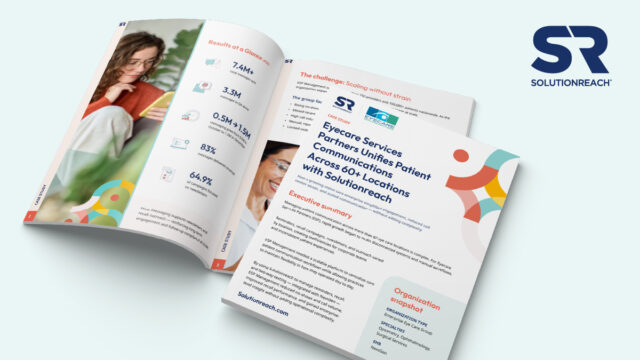
How do 60+ locations standardize patient communication without overwhelming staff?
👉 Download the ESP case study to see how unified workflows reduced no-shows, lowered call volume, and scaled engagement across 200+ providers.